
Danfoss TPOne-S intelligent control
Intelligent heating control is now easier than ever before.
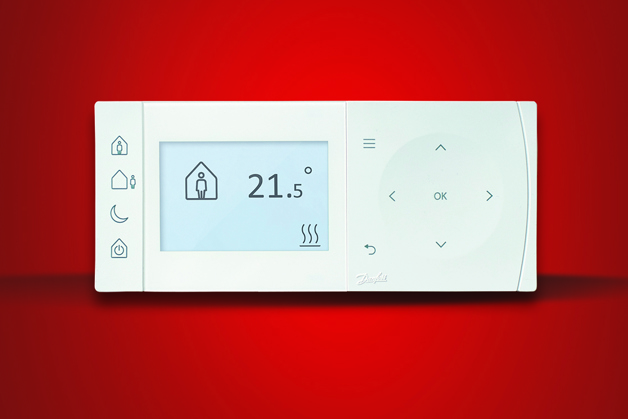
Our Danfoss TPOne-S programmable room thermostat makes it easy for homeowners to flexibly control their heating and energy use, whether at home or away.
Where to use TPOne-S?
TPOne-S is ideal for virtually any domestic heating application with a boiler system, from single to multi-family houses.

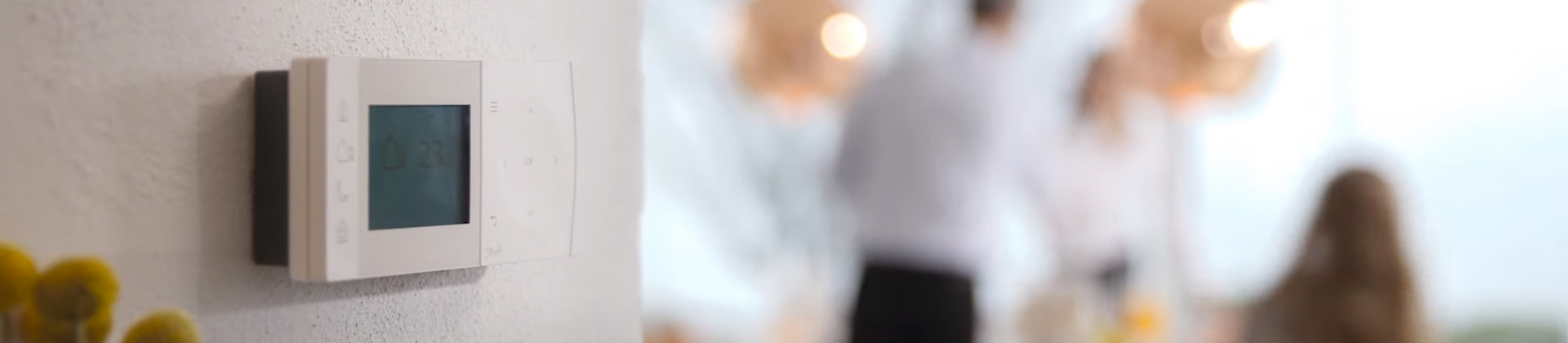
Big plus for homeowners
- Intuitive user interface
- Flexible heating schedule
- One Touch Comfort Modes
- Clear Text Setup Menus
- Click & Save energy saving
Energy-saving benefits
With Danfoss TPOne™ you can achieve energy savings of approximately 20% compared to a manually operated thermostat due to utilization of free heat gains and constant room temperature.
With the Danfoss TPOne-S programmable thermostat, it’s easy to maintain a comfortable indoor environment while saving money. Simple to set and adjust, TPOne automatically regulates the temperature of your home to a rhythm that you define. With just the touch of a button, you can enjoy a perfect indoor climate, morning, day and night.

One touch energy saving
Independent tests have shown that lowering the home comfort temperature by just one degree can reduce energy consumption by as much as 10%.
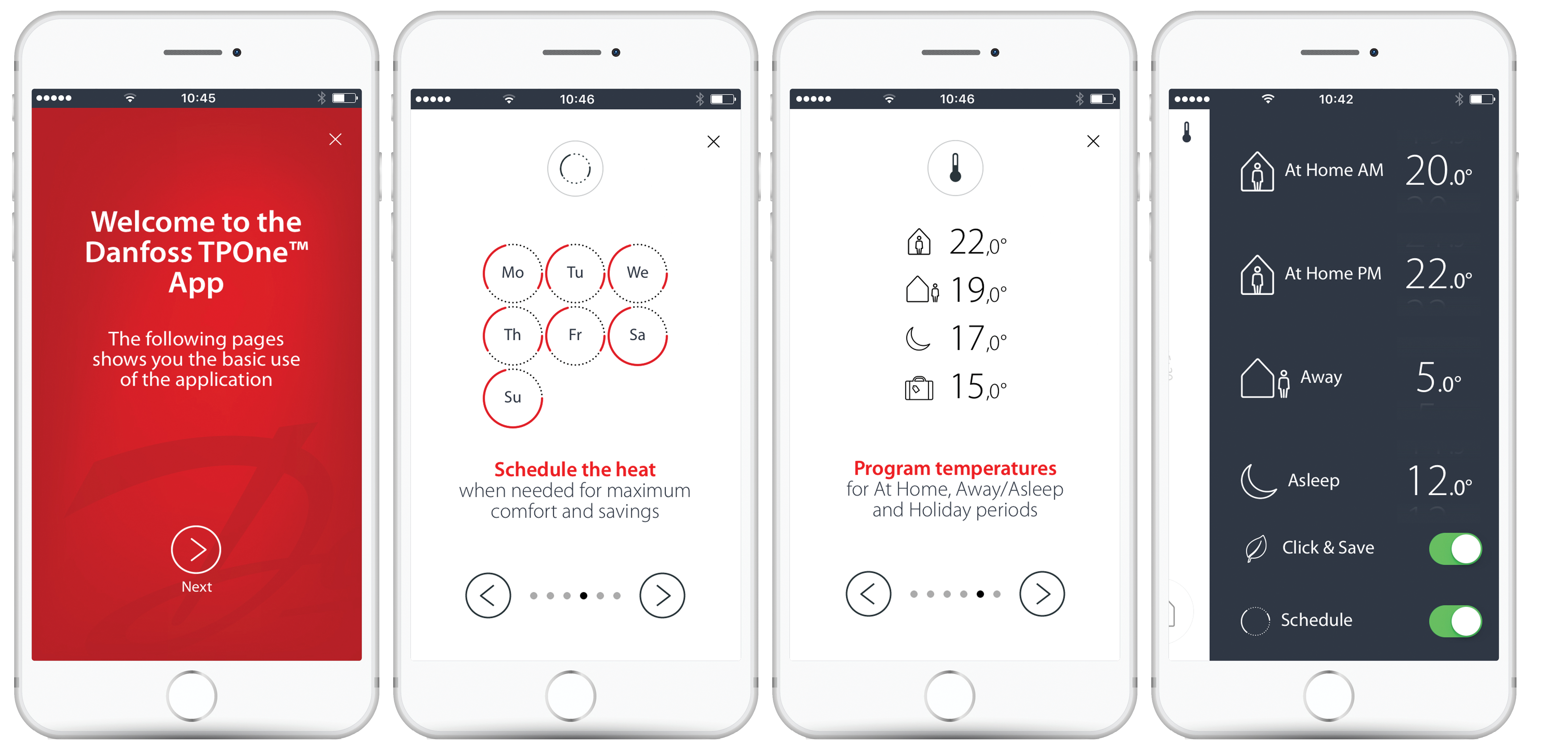
With TPOne's innovative ‘Click & Save’ function, you can quickly lower all your pre-defined comfort settings by one degree with just one click - helping to protect the environment and saving money at the same time.
How it works
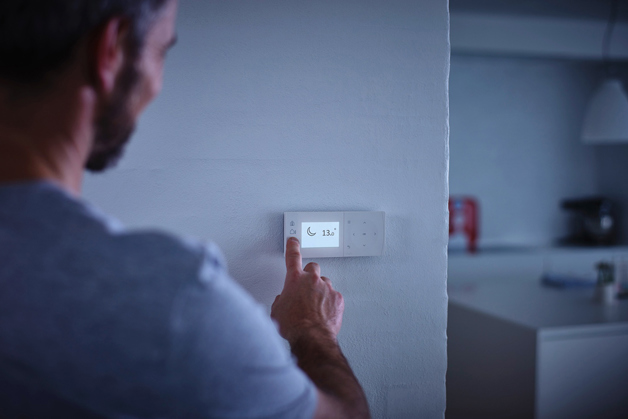
Programming TPOne-S is flexible and easy
As a programmable room thermostat, heating is controlled by preset schedules. But if you need changes at short notice, the comfort buttons make it simple to adjust the settings and benefit from increased comfort and energy savings at the same time.
The comfort mode buttons manually override the existing setting and stay in place until the next scheduled heating change – so there’s no need to remember to switch back to automatic control.

The Schedule in TPOne-S is linked to the 4 Comfort Modes:
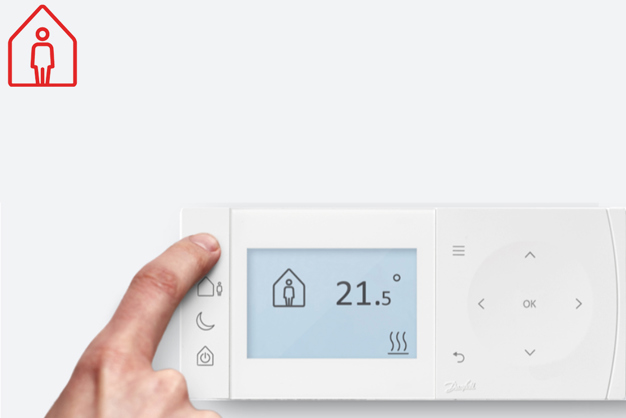
If you get up earlier than usual, simply press Home and TPOne-S will quickly raise the temperature to your predefined home comfort level.
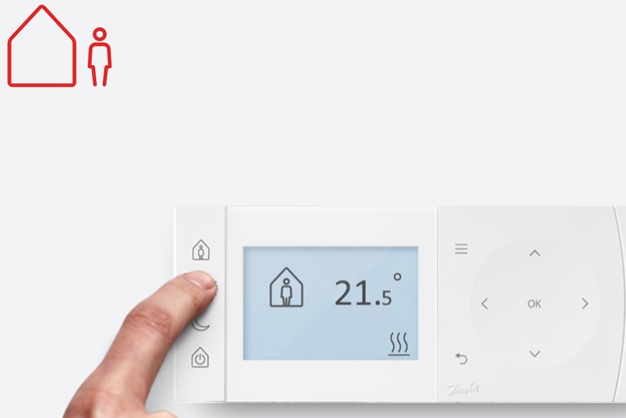
If you leave home earlier than usual you can save energy and reduce costs by simply pressing Away.
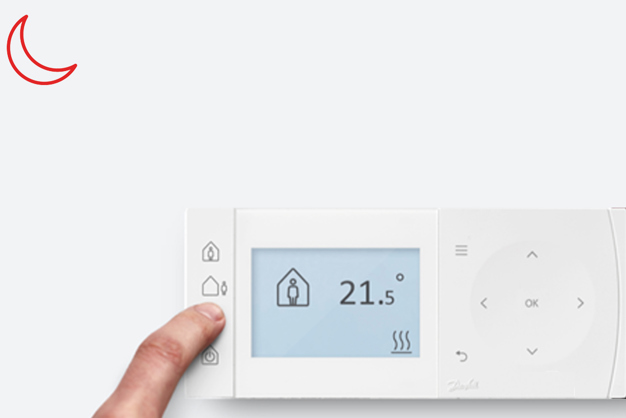
If you fancy an early night, just press Asleep and TPOne™ will do the rest: lowering the temperature to your preferred night-time setting.
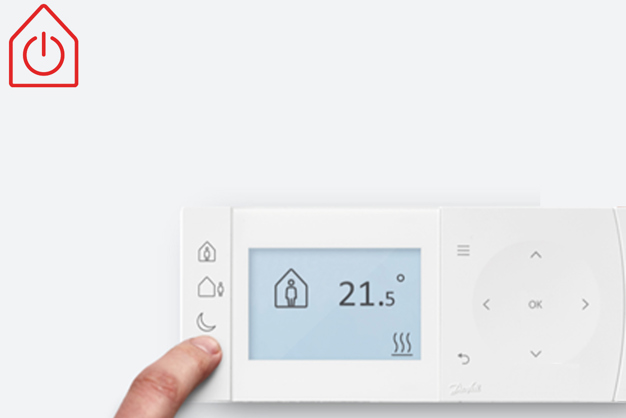
When airing your home or during the summer months, you can save energy by simply pressing Standby to turn your heating right down to the minimum setting.
Features and benefits
-
WiFi Connectivity
-
Remote Controlled via TPOne Heating App
-
A single TPOne-S can be paired with up to 10 mobile devices.
-
One mobile device with TPOne Heating App can be linked with up to 20 TPOne-S thermostats
-
Secure encrypted internet connection via Danfoss cloud services
-
Full local control when WiFi/Internet is unavailable
-
Includes DBR RF boiler relay
-
Holiday Scheduler
-
Upper and Lower Temperature Limits
-
Capacitive Touch Button Control
-
°C or °F Selectable Display
-
Audible Button Click (selectable)
-
Frost Protect Temperature Setting
-
Selectable Domestic Hot Water timer (requires additional DBR, supplied separately)
-
Clear Text Display (9 Languages)
-
Boiler Service Timer
-
Danfoss TPOne S™ is firmware upgradable
Tools and apps
Secure internet connection to the Danfoss TPOne™ App provides control of your TPOne-S from anywhere at any time. This allows you to adapt to your heating on the move, saving money when away and improving comfort when returning home.
Download the TPOne™ App from the links below

Download
Installation
Please note: This product should only be installed by a qualified electrician or competent heating installer and should be in accordance with the local wiring regulations.
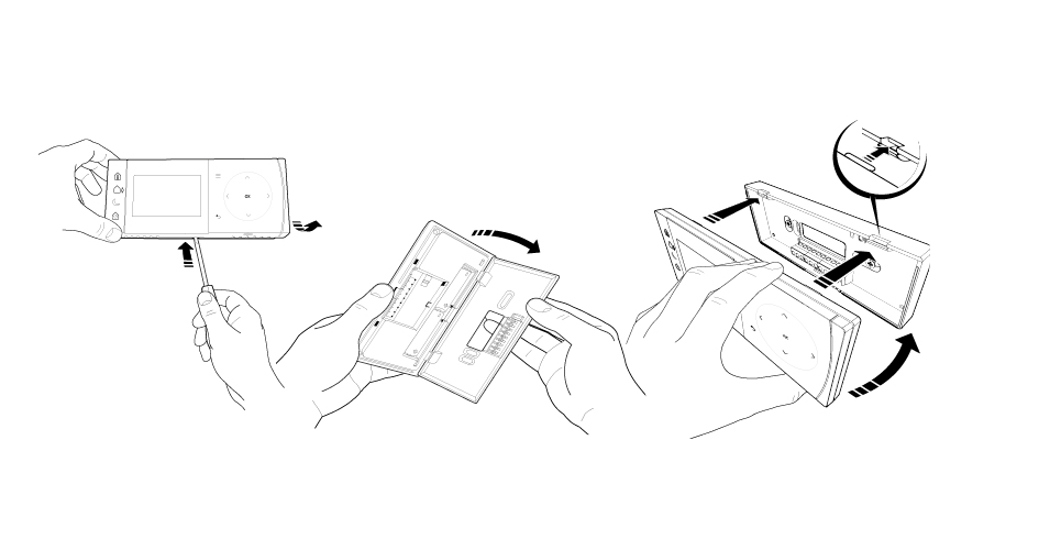
The receiver should be mounted near to the heat source leaving a minimum distance of 30cm away from any metal enclosures or appliance and positioned so that no large metal obstruction is between the receiver and thermostat. The thermostat can be mounted remotely up to 30m from the receiver while considering signal strength will be reduce as it passes through walls and ceilings. Walls and ceilings containing steel reinforcement or with metal foil lined insulation will also have a significant effect on communication distance and may block signal completely.
Support
Are you looking for specific product information?
Are you looking for specific product information for new or already installed products?
Click here to find documentation, installation videos and guides.
Report security concerns or security vulnerability if you have discovered an issue with one of our products or services.
Related solutions

Smart heating by Danfoss
Danfoss smart heating has a solution for every home and every need, from a stand-alone smart radiator thermostat to complete smart heating solutions for total control
– anytime anywhere.
Smart heating
FAQ
On average, how often do the batteries need to be changed?
Typically, batteries last between 1.5 to 2 years. It's a good idea to check they are working every year and replace them every 2 to 2.5 years to ensure your device continues running smoothly.
I've changed the battery and my screen is still blank on my TPOne, now what?
First, ensure you’re using the right batteries for your TPOne model, and that they are correctly installed. You can check this by looking for the product code or name on the back of your device and looking for more information on your local-language Danfoss site and on YouTube.
If the problem persists, please contact customer support, as professional attention may be needed.
My TPOne has a black screen and I can't find the battery compartment. Can you help?
For help finding the battery compartment, please reference our instructional YouTube video. You can also find the product code or name of your TPOne on the back of your device, and then search for more information on your local-language Danfoss site.
We are available to help you if the problem persists. Please contact customer support at your local-language Danfoss site, so our professionals can learn more about the problem you are experiencing.
My heating turns off when it reaches the set temperature of 21.5°C, before the end of the scheduled time. How can I change this?
Your thermostat is designed to turn off once it hits the set temperature. Try moving it to a location that better represents your home’s overall temperature. Alternatively, slightly increase the set temperature for consistent warmth.
Can I turn the heating off, but keep my water schedule running?
Yes, you can. Just select 'standby mode' in the heating channel. This will activate frost protection for your heating without affecting your water schedule.
How do I set different temperatures for each 'Home Period' I've created, instead of just AM/PM settings?
Currently, setting different temperatures for individual 'Home Periods' is not possible.
Which thermostat models can I use to replace my older system?
To find the best replacement model, use our online compatibility tool. It will guide you to the most suitable model based on your current thermostat. Compatibility Tool Link.
How do I sync the day of the week and date on my TP-One?
You can easily set the date and time by accessing the user menu. Press the 'menu' button, scroll down to 'user settings', and press 'OK'. Here, you'll find options to set both the date and time.
How can I manually turn my TPOne off and on instead of using a set schedule?
Switch the 'Heating Mode' in your TPOne to “Manual Mode.” In this mode, the thermostat ignores the preset schedule and allows you to choose your desired temperature whenever you need it.
Will my heating timer still work if my thermostat is in standby mode?
No, the standby mode on your thermostat won't disrupt your heating schedule. The thermostat operates independently from the schedule.
How do I change the batteries on my TPOne?
For help finding the battery compartment, please reference our instructional YouTube video. You can also find the product code or name of your TPOne on the back of your device, and then search for more information on your local-language Danfoss site.
We are available to help you if the problem persists. Please contact customer support at your local-language Danfoss site, so our professionals can learn more about the problem you are experiencing.
How can I reset my TPOne?
To reset your thermostat, go to the 'menu' and select 'user reset.' In case you are experiencing issues with your system and wish to try a full factory reset, go to 'installer menu' and then reset the device. The exact steps may vary depending on your thermostat model.
If the problem persists or you need help, contact local customer support.
How do I remove the 'Low Heat' warning?
You can clear this warning by navigating to the ‘menu’ and following the relevant prompts.
How do I unlock the Product Lock on my thermostat?
To unlock your thermostat, hold the 'OK' button for 5 seconds. Then navigate to 'installer settings' and select 'button lock' to remove the lock.
My thermostat is blocked. How do I unblock it?
A blocked thermostat is normal and can be caused by many different things, including low batteries, dirt and debris in the system, wiring issues, mechanical failures, and more. We recommend that you check for common issues like a low battery, then contact a professional for assistance.
How can I manually turn the boiler on and off?
Switch the 'Heating Mode' in your TPOne to “Manual Mode.” In this mode, the thermostat ignores the preset schedule and allows you to choose your desired temperature whenever you need it.
Which Danfoss products are compatible with one another?
Danfoss has an extensive range of products for personal and professional use. Many of our products are compatable with one another, however we do not have a single source that lists all options. This is because compatibility can vary from one situation or “application system” to another.
If you wish to replace a current model with a new one, then our Compatibility Tool Link may be helpful.
Product Security and Telecommunications Infrastructure (PSTI)
What is the minimum support period?
The minimum support period: Invoice date + 2 years.
How to report security concern or security vulnerability?
Report security concerns or security vulnerability if you have discovered an issue with one of our products or services.