
Danfoss Ally™ - A smart cloud-based heating solution
With Danfoss Ally™ you get full control of your radiator and hydronic floor heating from anywhere. Seamlessly connected with Amazon Alexa and Google Assistant.
Danfoss Ally™ gives you all the benefits of a full-blown smart heating system – in a simple easy-to-use app.
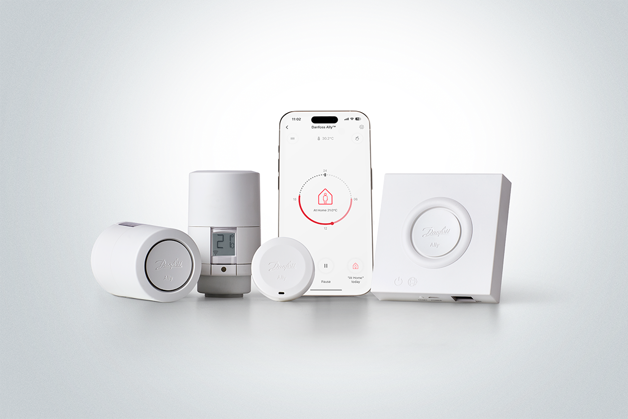
The Danfoss Ally™ product offering includes
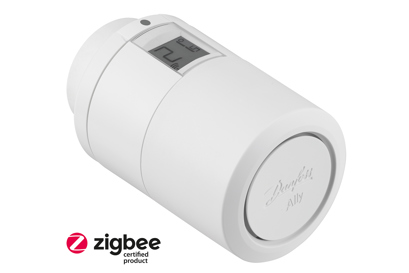
Danfoss Ally™ Radiator Thermostat is a connected radiator thermostat for residential use.
Danfoss Ally™ Radiator Thermostat is battery powered, compact and easy to operate with a manual handwheel and single button.
Danfoss Ally™ Radiator Thermostat is a Zigbee 3.0 certified product, compatible with Danfoss Ally Gateway™ and with third party systems using Zigbee protocol.
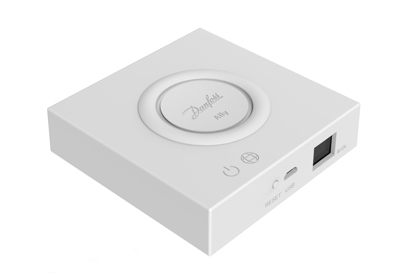
Danfoss Ally™ Gateway is a programmable, wireless control system that connects all Danfoss Ally™ devices to the internet and intelligently controls your heating via the Danfoss Ally™ App.
The power supply and LAN cable for internet connection are included.
Danfoss Ally™ Gateway controls the daily heating schedule for every room allowing quick and easy adjustments to be made.
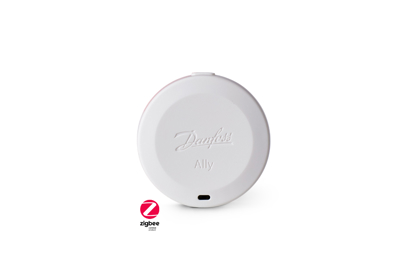
The new Danfoss Ally™ Room Sensor measures the temperature and humidity in the room and makes sure each radiator delivers the exact amount of heat needed for temperature perfection.
The sensor is battery-powered with a battery lifetime of up to 5 years, and it’s Zigbee 3.0 certified, compatible with third party systems using Zigbee protocol.
Size: 45mm x 18 mm.
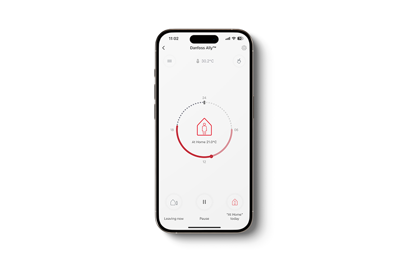
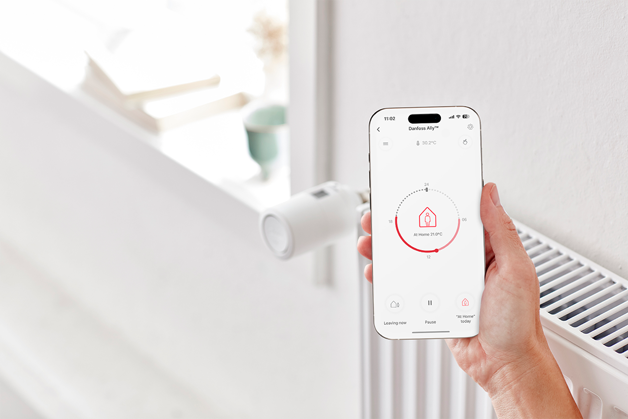
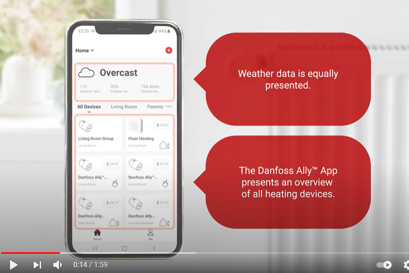
From the Danfoss Ally™ App you can control, schedule, and monitor your home heating from anywhere and at any time. The app guides you through the quick setup and gives you the complete overview and control.
Danfoss Ally™ App is compatible with iOS and Android.
Download the app for free from Google Play or App Store.
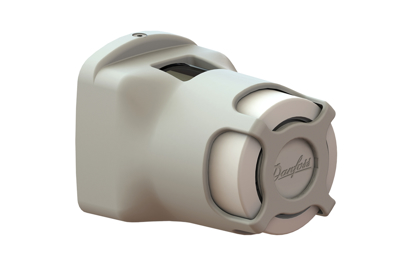
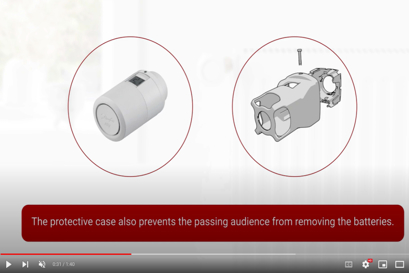
With the Danfoss Ally™ Protect, our existing radiator thermostat range is better suited for use in public buildings. The Danfoss Ally™ Protect is a protective case that will prevent the removal of the thermostat itself from the valve. The removal of the batteries, for own use elsewhere, is equally prevented. The Danfoss Ally™ Protect can be used for and fits both Danfoss Ally™ as well as Danfoss Eco™
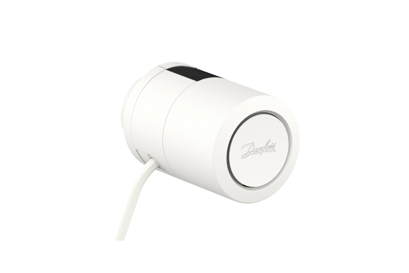
Danfoss Ally™ Power Module 24V is a solution that allows for a change of power supply to the radiator thermostat, batteries are replaced by main power, which can support different power sources (3.5-24V AC/DC).
With Danfoss Ally™ Power Module 24V, the product has a constant power supply and it saves facility manager’s time and avoids the physical replacement of a high quantity of batteries.
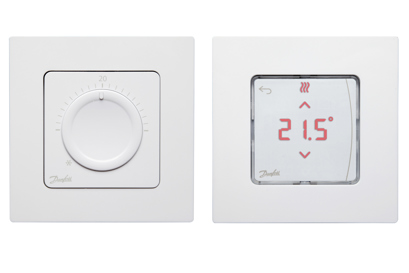
Advanced room controls for hydronic floor heating.
When combining an Icon™ system with the Ally™ smart heating solution you obtain the Ally™ features on top. Ally™ together with Icon™ provide full Danfoss Icon™ functionality incl. app control and automatic balancing.
Adding the Expansion module to the Danfoss Icon™ system gives additional functionality and applications, e.g. demand-based supply temperature control or different floor cooling applications.
Supported for both wired and wireless thermostats.
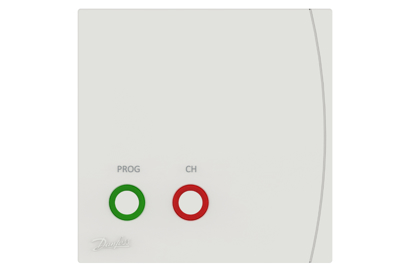
Danfoss Ally™ Boiler Relay is the ideal accessory
to optimize energy efficiency in boiler systems, by
ensuring that the boiler is only active when there
is an actual heat demand.
The Danfoss Ally™ Boiler Relay is a Zigbee certified
product, compatible with the Danfoss Ally™
Gateway and with the third party certified systems,
using a Zigbee technology.

The Zigbee protocol is the standard-bearer of the open IoT.
Danfoss Ally™ is Zigbee 3.0 certified. This means that it speaks the same wireless language as tons of other smart home devices around the globe. Allowing you to connect Danfoss Ally™ to your existing smart home setup. And to make your smart home even smarter.
Zigbee creates flexibility for developers & end-users while delivering stellar interoperability. Created on IEEE’s 802.15.4 using the 2.4GHz band and a self-healing true mesh network; Zigbee has many applications and is widely implemented across the globe.

An API is a programmatic interface, which is exposed by a cloud server. An API helps to collaborate with external and internal partners (including both B2B and B2C scenarios) by providing secure access to its value streams.
The Danfoss Ally™ Cloud API allows for collaboration and innovation by enabling co-opting with other service providers. The API also ensures compliance with industry level security.
By using the API, organizations and end-customers can harness rapid innovation by tapping into the Danfoss Ally™ products to build meaningful products of their own.

NEW EPD
The Environmental Product Declaration (EPD) for our Danfoss Ally™ and Eco™ electronic radiator thermostats is now available. This marks a key milestone in providing verified environmental data, helping customers make informed and responsible choices.
Download the EPD
Documents
| Type | Name | Language | Valid for | Updated | Download | File type |
|---|---|---|---|---|---|---|
| Brochure | Ally leaflet_M65 | German | Austria | 07 Oct, 2020 | 536.8 KB | |
| Data sheet | Ally Radiator thermostat | German | Multiple | 12 Aug, 2022 | 1.9 MB | |
| Brochure | Ally™ leaflet__Say hello to Ally | German | Germany | 10 Apr, 2024 | 2.1 MB | |
| Brochure | Ally™ leaflet_M65 | Hungarian | Hungary | 28 Sep, 2020 | 600.9 KB | |
| Brochure | Ally™ leaflet_M65 | English | Multiple | 21 Feb, 2022 | 1.2 MB | |
| Brochure | Ally™ leaflet_M65 | German | Switzerland | 26 Sep, 2022 | 2.2 MB | |
| Brochure | Ally™ leaflet_M65 | French | France | 27 Oct, 2020 | 1.3 MB | |
| Brochure | Ally™ leaflet_M65 | Danish | Denmark | 11 Jan, 2024 | 1.5 MB | |
| Brochure | Ally™ leaflet_M65 | Finnish | Finland | 18 Mar, 2021 | 1.3 MB | |
| Brochure | Ally™ leaflet_M65 | Estonian | Estonia | 10 Jan, 2021 | 1.9 MB | |
| Brochure | Ally™ leaflet_M65 | Croatian | Croatia | 26 Jun, 2023 | 1.6 MB | |
| Brochure | Ally™ leaflet_M65 | Czech | Czech Republic | 28 Oct, 2020 | 4.6 MB | |
| Brochure | Ally™ leaflet_M65 | French | Switzerland | 26 Sep, 2022 | 2.1 MB | |
| Brochure | Ally™ leaflet_M65 | Polish | Poland | 28 Sep, 2020 | 1.2 MB | |
| Brochure | Danfoss Ally Leaflet M65 | Swedish | Sweden | 27 Jan, 2021 | 1.3 MB | |
| Data sheet | Danfoss Ally Starter Pack | German | Multiple | 20 Oct, 2022 | 1.3 MB | |
| Brochure | Danfoss AllyTM – the new smart heating solution with open API | English | Multiple | 09 Nov, 2020 | 1.1 MB | |
| User guide | Danfoss Ally™ (User Guide) | Russian | Central Asia Unit | 19 Jul, 2021 | 9.4 MB | |
| User guide | Danfoss Ally™ (User Guide) | Dutch, Flemish | Multiple | 23 Jan, 2026 | 6.7 MB | |
| User guide | Danfoss Ally™ (User Guide) | English | Multiple | 22 Aug, 2023 | 6.5 MB | |
| User guide | Danfoss Ally™ (User Guide) | French | France | 01 Feb, 2021 | 2.6 MB | |
| User guide | Danfoss Ally™ (User Guide) | Czech | Czech Republic | 28 Jan, 2021 | 7.9 MB | |
| User guide | Danfoss Ally™ (User Guide) | Danish | Denmark | 01 Feb, 2021 | 2.6 MB | |
| User guide | Danfoss Ally™ (User Guide) | German | Germany | 01 Feb, 2021 | 2.6 MB | |
| User guide | Danfoss Ally™ (User Guide) | Italian | Italy | 01 Feb, 2021 | 2.6 MB | |
| User guide | Danfoss Ally™ (User Guide) | Polish | Poland | 01 Feb, 2021 | 2.7 MB | |
| Data sheet | Danfoss Ally™ Boiler Relay (Data Sheet) | English | Multiple | 23 Oct, 2023 | 719.1 KB | |
| Data sheet | Danfoss Ally™ Boiler Relay (Data Sheet) | German | Multiple | 25 Mar, 2025 | 776.2 KB | |
| Installation guide | Danfoss Ally™ Boiler Relay (Quick Guide) | Czech; Danish; German; English; Spanish, Castilian; French; Italian; Dutch, Flemish; Polish; Swedish; Ukrainian | Multiple | 09 Jun, 2025 | 1.0 MB | |
| Data sheet | Danfoss Ally™ Electronic radiator thermostat (Data Sheet) | Lithuanian | Lithuania | 07 Jun, 2021 | 3.6 MB | |
| Data sheet | Danfoss Ally™ Electronic radiator thermostat (Data Sheet) | Spanish, Castilian | Spain | 21 Aug, 2023 | 1.6 MB | |
| Data sheet | Danfoss Ally™ Electronic radiator thermostat (Data Sheet) | Romanian, Moldavian, Moldovan | Romania | 24 Sep, 2020 | 1.7 MB | |
| Data sheet | Danfoss Ally™ Electronic radiator thermostat (Data Sheet) | Finnish | Finland | 16 Sep, 2022 | 1.9 MB | |
| Warranty | Danfoss Ally™ End User License Agreement | English | Multiple | 19 Sep, 2022 | 759.6 KB | |
| Warranty | Danfoss Ally™ End User License Agreement | Polish | Poland | 20 Sep, 2022 | 637.5 KB | |
| Warranty | Danfoss Ally™ End User License Agreement | Danish | Denmark | 19 Sep, 2022 | 658.3 KB | |
| Data sheet | Danfoss Ally™ Gateway | Ukrainian | Ukraine | 05 Aug, 2022 | 1.0 MB | |
| Data sheet | Danfoss Ally™ Gateway | German | Multiple | 14 Oct, 2022 | 987.9 KB | |
| Data sheet | Danfoss Ally™ Gateway (Data Sheet) | Dutch, Flemish | Netherlands | 02 Feb, 2023 | 579.7 KB | |
| Data sheet | Danfoss Ally™ Gateway (Data Sheet) | Norwegian Bokmål | Norway | 31 Mar, 2023 | 618.1 KB | |
| Data sheet | Danfoss Ally™ Gateway (Data Sheet) | Latvian | Latvia | 12 Oct, 2022 | 956.8 KB | |
| Data sheet | Danfoss Ally™ Gateway (Data Sheet) | Polish | Poland | 13 Oct, 2022 | 982.1 KB | |
| Data sheet | Danfoss Ally™ Gateway (Data Sheet) | Slovenian | Slovenia | 05 Aug, 2022 | 952.5 KB | |
| Data sheet | Danfoss Ally™ Gateway (Data Sheet) | French | France | 14 Oct, 2022 | 956.9 KB | |
| Data sheet | Danfoss Ally™ Gateway (Data Sheet) | French | Switzerland | 14 Oct, 2022 | 956.0 KB | |
| Data sheet | Danfoss Ally™ Gateway (Data Sheet) | Italian | Italy | 13 Oct, 2022 | 951.7 KB | |
| Data sheet | Danfoss Ally™ Gateway (Data Sheet) | Slovak | Slovakia | 13 Oct, 2022 | 959.0 KB | |
| Data sheet | Danfoss Ally™ Gateway (Data Sheet) | Icelandic | Iceland | 13 Oct, 2022 | 954.2 KB | |
| Data sheet | Danfoss Ally™ Gateway (Data Sheet) | Czech | Czech Republic | 13 Oct, 2022 | 958.6 KB | |
| Data sheet | Danfoss Ally™ Gateway (Data Sheet) | Estonian | Estonia | 13 Oct, 2022 | 944.4 KB | |
| Data sheet | Danfoss Ally™ Gateway (Data Sheet) | Swedish | Sweden | 29 Aug, 2022 | 919.6 KB | |
| Data sheet | Danfoss Ally™ Gateway (Data Sheet) | English | Multiple | 11 Jan, 2026 | 1.5 MB | |
| Data sheet | Danfoss Ally™ Gateway (Data Sheet) | Croatian | Croatia | 13 Oct, 2022 | 868.1 KB | |
| Data sheet | Danfoss Ally™ Gateway (Data Sheet) | Turkish | Turkey | 13 Oct, 2022 | 953.4 KB | |
| Data sheet | Danfoss Ally™ Gateway (Data Sheet) | Danish | Denmark | 13 Oct, 2022 | 944.8 KB | |
| Data sheet | Danfoss Ally™ Gateway (Data Sheet) | Lithuanian | Lithuania | 07 Jun, 2021 | 715.9 KB | |
| Installation guide | Danfoss Ally™ Gateway (Quick Guide) | Czech; Danish; German; English; French; Italian; Polish; Ukrainian | Multiple | 04 Jun, 2025 | 864.0 KB | |
| Installation guide | Danfoss Ally™ Gateway (Quick Guide) | Russian | Central Asia Unit | 29 Mar, 2021 | 842.3 KB | |
| User guide | Danfoss Ally™ Gateway (User Guide) | Spanish, Castilian | Spain | 17 May, 2022 | 3.3 MB | |
| User guide | Danfoss Ally™ Gateway (User Guide) | Latvian | Latvia | 24 Apr, 2021 | 2.6 MB | |
| User guide | Danfoss Ally™ Gateway (User Guide) | Turkish | Turkey | 24 Apr, 2021 | 2.5 MB | |
| User guide | Danfoss Ally™ Gateway (User Guide) | Estonian | Estonia | 24 Apr, 2021 | 2.5 MB | |
| User guide | Danfoss Ally™ Gateway (User Guide) | Slovenian | Slovenia | 24 Apr, 2021 | 2.6 MB | |
| User guide | Danfoss Ally™ Gateway (User Guide) | Slovak | Slovakia | 28 Jan, 2021 | 5.4 MB | |
| Data sheet | Danfoss Ally™ Gateway Data Sheet | Finnish | Finland | 06 Sep, 2023 | 1.0 MB | |
| Data sheet | Danfoss Ally™ Gateway Data Sheet | Spanish, Castilian | Spain | 05 Aug, 2022 | 963.2 KB | |
| Data sheet | Danfoss Ally™ Gateway Data Sheet | Russian | Central Asia Unit | 05 Aug, 2022 | 1.0 MB | |
| Data sheet | Danfoss Ally™ Gateway Data Sheet | Romanian, Moldavian, Moldovan | Romania | 24 Sep, 2020 | 575.8 KB | |
| Data sheet | Danfoss Ally™ Power Module 24 V Data Sheet | Italian | Italy | 25 Apr, 2023 | 799.7 KB | |
| Data sheet | Danfoss Ally™ Power Module 24 V Data Sheet | Spanish, Castilian | Spain | 25 Apr, 2023 | 806.0 KB | |
| Data sheet | Danfoss Ally™ Power Module 24 V Data Sheet | Danish | Denmark | 31 May, 2024 | 780.9 KB | |
| Installation guide | Danfoss Ally™ Power Module 24V (Quick Guide) | Czech; Danish; German; English; Spanish, Castilian; French; Italian; Dutch, Flemish; Polish; Swedish; Ukrainian | Multiple | 21 Mar, 2023 | 848.6 KB | |
| Data sheet | Danfoss Ally™ Power Module 24V Data Sheet | Ukrainian | Ukraine | 03 May, 2023 | 848.0 KB | |
| Data sheet | Danfoss Ally™ Power Module 24V Data Sheet | Polish | Poland | 25 Apr, 2023 | 831.1 KB | |
| Data sheet | Danfoss Ally™ Power Module 24V Data Sheet | French | France | 25 Apr, 2023 | 806.3 KB | |
| Data sheet | Danfoss Ally™ Power Module 24V Data Sheet | Dutch, Flemish | Netherlands | 25 Apr, 2023 | 800.4 KB | |
| Data sheet | Danfoss Ally™ Power Module 24V Data Sheet | Czech | Czech Republic | 25 Apr, 2023 | 805.7 KB | |
| Data sheet | Danfoss Ally™ Power Module 24V Data Sheet | Swedish | Sweden | 25 Apr, 2023 | 798.6 KB | |
| Data sheet | Danfoss Ally™ Power Module 24V Data Sheet | German | Germany | 25 Apr, 2023 | 817.1 KB | |
| Data sheet | Danfoss Ally™ Power Module 24V Data Sheet | English | Multiple | 21 Mar, 2023 | 773.6 KB | |
| Data sheet | Danfoss Ally™ Protect RA | Dutch, Flemish | Netherlands | 02 Feb, 2023 | 747.7 KB | |
| Data sheet | Danfoss Ally™ Protect RA | Russian | Central Asia Unit | 10 Oct, 2022 | 1.2 MB | |
| Data sheet | Danfoss Ally™ Protect RA (Data sheet) | Swedish | Sweden | 10 Oct, 2022 | 1.2 MB | |
| Data sheet | Danfoss Ally™ Protect RA (Data sheet) | Polish | Poland | 10 Oct, 2022 | 1.2 MB | |
| Data sheet | Danfoss Ally™ Protect RA (Data sheet) | Spanish, Castilian | Spain | 10 Oct, 2022 | 1.2 MB | |
| Data sheet | Danfoss Ally™ Protect RA (Data sheet) | Ukrainian | Ukraine | 10 Oct, 2022 | 1.2 MB | |
| Data sheet | Danfoss Ally™ Protect RA (Data Sheet) | Italian | Italy | 10 Oct, 2022 | 1.2 MB | |
| Data sheet | Danfoss Ally™ Protect RA (Data Sheet) | Czech | Czech Republic | 10 Oct, 2022 | 1.2 MB | |
| Data sheet | Danfoss Ally™ Protect RA (Data Sheet) | French | France | 10 Oct, 2022 | 1.2 MB | |
| Data sheet | Danfoss Ally™ Protect RA (Data Sheet) | German | Germany | 10 Oct, 2022 | 1.2 MB | |
| Data sheet | Danfoss Ally™ Protect RA (Data Sheet) | Danish | Denmark | 10 Oct, 2022 | 1.2 MB | |
| Data sheet | Danfoss Ally™ Protect RA (Data Sheet) | English | Multiple | 10 Oct, 2022 | 1.2 MB | |
| Data sheet | Danfoss Ally™ Radiator thermostat | Ukrainian | Ukraine | 19 Aug, 2022 | 1.9 MB | |
| Data sheet | Danfoss Ally™ Radiator thermostat (Data Sheet) | Czech | Multiple | 15 Aug, 2022 | 2.0 MB | |
| Data sheet | Danfoss Ally™ Radiator thermostat (Data Sheet) | Dutch, Flemish | Netherlands | 02 Feb, 2023 | 1.6 MB | |
| Data sheet | Danfoss Ally™ Radiator thermostat (Data Sheet) | Danish | Denmark | 03 Oct, 2022 | 1.5 MB | |
| Data sheet | Danfoss Ally™ Radiator thermostat (Data Sheet) | German | Germany | 12 Aug, 2022 | 1.9 MB | |
| Data sheet | Danfoss Ally™ Radiator thermostat (Data Sheet) | Croatian | Croatia | 04 Oct, 2022 | 1.8 MB | |
| Data sheet | Danfoss Ally™ Radiator thermostat (Data Sheet) | Icelandic | Iceland | 17 Oct, 2022 | 1.9 MB | |
| Data sheet | Danfoss Ally™ Radiator thermostat (Data Sheet) | Norwegian Bokmål | Norway | 31 Mar, 2023 | 1.6 MB | |
| Data sheet | Danfoss Ally™ Radiator thermostat (Data Sheet) | Polish | Poland | 19 Aug, 2022 | 1.9 MB | |
| Data sheet | Danfoss Ally™ Radiator thermostat (Data Sheet) | Estonian | Estonia | 13 Sep, 2022 | 1.9 MB | |
| Data sheet | Danfoss Ally™ Radiator thermostat (Data Sheet) | Swedish | Sweden | 29 Aug, 2022 | 1.9 MB | |
| Data sheet | Danfoss Ally™ Radiator thermostat (Data Sheet) | French | Switzerland | 22 Aug, 2022 | 1.9 MB | |
| Data sheet | Danfoss Ally™ Radiator thermostat (Data Sheet) | Slovak | Slovakia | 28 Sep, 2022 | 1.9 MB | |
| Data sheet | Danfoss Ally™ Radiator thermostat (Data Sheet) | French | France | 16 Dec, 2024 | 1.7 MB | |
| Data sheet | Danfoss Ally™ Radiator thermostat (Data Sheet) | English | Multiple | 16 Dec, 2024 | 1.6 MB | |
| Data sheet | Danfoss Ally™ Radiator thermostat (Data Sheet) | Turkish | Turkey | 19 Sep, 2022 | 1.9 MB | |
| Data sheet | Danfoss Ally™ Radiator thermostat (Data Sheet) | Italian | Italy | 29 Aug, 2022 | 1.9 MB | |
| Data sheet | Danfoss Ally™ Radiator thermostat (Data Sheet) | Latvian | Latvia | 19 Sep, 2022 | 1.9 MB | |
| Installation guide | Danfoss Ally™ Radiator thermostat (Quick Guide) | Czech; Danish; German; English; Spanish, Castilian; French; Italian; Dutch, Flemish; Polish; Swedish; Ukrainian | Multiple | 13 Aug, 2025 | 3.4 MB | |
| Installation guide | Danfoss Ally™ Radiator thermostat (Quick Guide) | Russian | Central Asia Unit | 04 May, 2021 | 3.4 MB | |
| Fact sheet | Danfoss Ally™ Radiator Thermostat 1.20 and 0.20 Zigbee Cluster Specifications | English | Multiple | 01 Aug, 2023 | 522.2 KB | |
| Data sheet | Danfoss Ally™ Radiator thermostat Data Sheet CS 014G2460 | Czech | Czech Republic | 15 Aug, 2022 | 2.0 MB | |
| Data sheet | Danfoss Ally™ Room Sensor (Data Sheet) | Dutch, Flemish | Netherlands | 02 Feb, 2023 | 461.7 KB | |
| Data sheet | Danfoss Ally™ Room Sensor (Data Sheet) | Norwegian Bokmål | Norway | 31 Mar, 2023 | 450.0 KB | |
| Data sheet | Danfoss Ally™ Room Sensor (Data Sheet) | Slovak | Slovakia | 29 Sep, 2022 | 851.1 KB | |
| Data sheet | Danfoss Ally™ Room Sensor (Data Sheet) | German | Germany | 09 Aug, 2022 | 860.7 KB | |
| Data sheet | Danfoss Ally™ Room Sensor (Data Sheet) | Ukrainian | Ukraine | 09 Aug, 2022 | 856.8 KB | |
| Data sheet | Danfoss Ally™ Room Sensor (Data Sheet) | Czech | Czech Republic | 09 Aug, 2022 | 871.4 KB | |
| Data sheet | Danfoss Ally™ Room Sensor (Data Sheet) | Danish | Denmark | 09 Aug, 2022 | 834.3 KB | |
| Data sheet | Danfoss Ally™ Room Sensor (Data Sheet) | Italian | Italy | 09 Aug, 2022 | 843.6 KB | |
| Data sheet | Danfoss Ally™ Room Sensor (Data Sheet) | Polish | Poland | 09 Aug, 2022 | 874.0 KB | |
| Data sheet | Danfoss Ally™ Room Sensor (Data Sheet) | Spanish, Castilian | Spain | 09 Aug, 2022 | 849.7 KB | |
| Data sheet | Danfoss Ally™ Room Sensor (Data Sheet) | Finnish | Finland | 12 Oct, 2022 | 835.6 KB | |
| Data sheet | Danfoss Ally™ Room Sensor (Data Sheet) | English | Multiple | 09 Aug, 2022 | 828.6 KB | |
| Data sheet | Danfoss Ally™ Room Sensor (Data Sheet) | Swedish | Sweden | 09 Aug, 2022 | 841.7 KB | |
| Data sheet | Danfoss Ally™ Room Sensor (Data Sheet) | Russian | Central Asia Unit | 09 Aug, 2022 | 858.4 KB | |
| Data sheet | Danfoss Ally™ Room Sensor (Data Sheet) | French | France | 09 Aug, 2022 | 871.2 KB | |
| Installation guide | Danfoss Ally™ Room Sensor (Quick Guide) | Czech; Danish; German; English; French; Italian; Polish; Russian; Swedish; Ukrainian | Multiple | 28 Dec, 2022 | 657.9 KB | |
| Fact sheet | Danfoss Ally™ software and device compatibility overview | English | Multiple | 07 Nov, 2023 | 138.0 KB | |
| Fact sheet | Danfoss Ally™ software versions overview | English | Multiple | 06 Aug, 2025 | 235.6 KB | |
| Data sheet | Danfoss Ally™ Starter Pack (Data Sheet) | Lithuanian | Lithuania | 31 May, 2021 | 2.6 MB | |
| Data sheet | Danfoss Ally™ Starter Pack (Data Sheet) | Ukrainian | Ukraine | 19 Aug, 2022 | 1.4 MB | |
| Data sheet | Danfoss Ally™ Starter Pack (Data Sheet) | Russian | Central Asia Unit | 29 Dec, 2021 | 1.0 MB | |
| Data sheet | Danfoss Ally™ Starter Pack (Data Sheet) | Swedish | Sweden | 29 Aug, 2022 | 1.3 MB | |
| Data sheet | Danfoss Ally™ Starter Pack (Data Sheet) | Slovenian | Slovenia | 17 Aug, 2022 | 1.2 MB | |
| Data sheet | Danfoss Ally™ Starter Pack (Data Sheet) | Estonian | Estonia | 19 Oct, 2022 | 1.2 MB | |
| Data sheet | Danfoss Ally™ Starter Pack (Data Sheet) | Croatian | Croatia | 20 Oct, 2022 | 1.2 MB | |
| Data sheet | Danfoss Ally™ Starter Pack (Data Sheet) | Icelandic | Iceland | 19 Oct, 2022 | 1.2 MB | |
| Data sheet | Danfoss Ally™ Starter Pack (Data Sheet) | Czech | Czech Republic | 19 Oct, 2022 | 1.3 MB | |
| Data sheet | Danfoss Ally™ Starter Pack (Data Sheet) | French | France | 20 Oct, 2022 | 1.2 MB | |
| Data sheet | Danfoss Ally™ Starter Pack (Data Sheet) | Turkish | Turkey | 19 Oct, 2022 | 1.2 MB | |
| Data sheet | Danfoss Ally™ Starter Pack (Data Sheet) | Latvian | Latvia | 19 Oct, 2022 | 1.2 MB | |
| Data sheet | Danfoss Ally™ Starter Pack (Data Sheet) | Slovak | Slovakia | 20 Oct, 2022 | 1.2 MB | |
| Data sheet | Danfoss Ally™ Starter Pack (Data Sheet) | Norwegian Bokmål | Norway | 05 Apr, 2023 | 988.7 KB | |
| Data sheet | Danfoss Ally™ Starter Pack (Data Sheet) | German | Germany | 20 Oct, 2022 | 1.3 MB | |
| Data sheet | Danfoss Ally™ Starter Pack (Data Sheet) | Dutch, Flemish | Netherlands | 02 Feb, 2023 | 960.8 KB | |
| Data sheet | Danfoss Ally™ Starter Pack (Data Sheet) | French | Switzerland | 20 Oct, 2022 | 1.2 MB | |
| Data sheet | Danfoss Ally™ Starter Pack (Data Sheet) | Finnish | Finland | 06 Sep, 2023 | 1.3 MB | |
| Data sheet | Danfoss Ally™ Starter Pack (Data Sheet) | Italian | Italy | 19 Oct, 2022 | 1.2 MB | |
| Data sheet | Danfoss Ally™ Starter Pack (Data Sheet) | Polish | Poland | 19 Oct, 2022 | 1.3 MB | |
| Data sheet | Danfoss Ally™ Starter Pack (Data Sheet) | English | Multiple | 22 Aug, 2023 | 918.4 KB | |
| Data sheet | Danfoss Ally™ Starter Pack (Data Sheet) | Danish | Denmark | 19 Oct, 2022 | 1.1 MB | |
| Data sheet | Danfoss Ally™ Starter Pack (Data Sheet) | Romanian, Moldavian, Moldovan | Romania | 24 Sep, 2020 | 961.7 KB | |
| Data sheet | Danfoss Ally™ Starter Pack Data Sheet | Spanish, Castilian | Spain | 16 Aug, 2022 | 1.3 MB | |
| Fact sheet | Danfoss E-error codes description | English | Multiple | 28 Mar, 2022 | 632.3 KB | |
| Fact sheet | Danfoss E-error codes description | Danish | Denmark | 18 Nov, 2022 | 627.5 KB | |
| Programming guide | Feature Catalogue Danfoss Ally™ electronic Radiator Thermostat (eTRV) | English | Multiple | 28 Feb, 2024 | 1.5 MB | |
| Warranty | Privacy policy | English | Multiple | 19 Sep, 2022 | 638.6 KB | |
| Warranty | Privacy policy | Danish | Denmark | 19 Sep, 2022 | 564.2 KB | |
| Warranty | Privacy policy | Polish | Poland | 19 Sep, 2022 | 560.1 KB | |
| Fact sheet | Zigbee Cluster Specification - Danfoss Ally™ Room Sensor | English | Multiple | 19 Sep, 2025 | 203.6 KB |
Approvals
| Type | Name | Language | Valid for | Updated | Download | File type |
|---|---|---|---|---|---|---|
| EU Declaration | Danfoss EU BF3226656474330EN-IT0105 | English | Multiple | 31 Oct, 2025 | 329.6 KB | |
| Statement of Compliance | Danfoss SoC 40312EN0379101.01 | English | Multiple | 31 Oct, 2025 | 223.4 KB | |
| Statement of Compliance | Danfoss SoC 40312EN0381101.01 | English | Multiple | 31 Oct, 2025 | 223.3 KB |
Software
Download Danfoss Ally™ software
Connected to a non-Danfoss hub/gateway
This firmware is designed for Zigbee Integration Partners who have integrated Danfoss Ally™ Radiator Thermostat into their ZigBee hub/gateway solutions, which are not manufactured by Danfoss.
Connected to Danfoss Ally™ Gateway
Danfoss Ally™ will automatically be updated to the latest software. Software updates are delivered automatically via the Ally™ Gateway and Ally™ Cloud. The Ally™ App will notify you when a new software update is available.
Videos
FAQ
You can find answers to many other topics directly in the Danfoss Ally™ App, as well as in the Danfoss Ally™ App Tutorials on YouTube.
Frequently asked questions on Danfoss Ally™
What does the E-error code mean?
Please find the E-error codes list with a description here
How do I manage PUSH notifications?
Manage your notifications and choose priority under “Me” -> “Settings” -> “App Notification”.
How do I make changes to an already programmed schedule?
Danfoss Ally™ Radiator Thermostat can be manually controlled by turning the wheel on the thermostat itself. An override is valid till the next scheduled event.
How can I set an individual schedule?
Open the app, choose the room tile you need, press upper left-side Menu button, press “Schedule” and you can add up to 3 comfort periods per day.
The installer still has access to my system. How can I remove him?
Navigate to “Me” menu -> “Home Management” -> Choose home name and press on home member from the list you want to delete -> “Remove Member”
Can I share my Ally™ smart heating solution with other persons in my household?
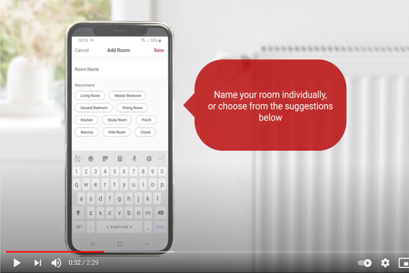
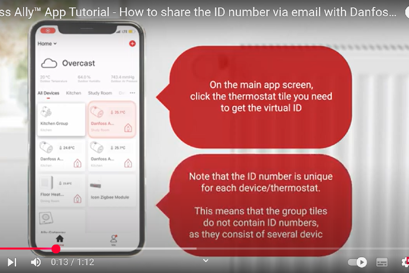
Navigate to “Me” menu -> “Home Management” -> Choose home name -> “Add Member”. After adding a new home member to the app list, the member can manage the smart heating system.
How can I change the language in my app?
If the smartphone UI language is set as: German, Danish, French, Swedish, Italian, Polish, Czech, Russian, Ukrainian, then the app automatically sets the same language. Otherwise, English language is set as default.
What happens if there is no internet/no connection to the gateway?
The Danfoss Ally™ smart heating solution continues to operate with current settings, if the internet connection suddenly disappears. The possibility to control the system via the Danfoss Ally™ App however is unavailable, until the internet connection is restored. The radiator thermostats will regulate according to the temperature setpoint written on the display no matter whether there is connection to the gateway or not. Please note: The internet connection is a must for commissioning process and full system control.
What does Pre-Heat mean?
The Pre-Heat function (Forecast) ensures that the comfort temperature is reached at a certain given time. The warmup time is continuously adjusted according to the seasonal temperature changes.
- Pre-Heat function ensures the wanted temperature at the wanted time;
- Pre-Heat function uses data from the previous 7 days to be able to reach the correct temperature at the right time.
- Pre-Heat function is sensitive to large, rapid temperature changes.
Why isn’t it possible to pair the gateway?
The Danfoss Ally™ Gateway and the smartphone with the Danfoss Ally™ App must be on the same WiFi network to establish connection between the gateway and app.
Why are some devices offline?
The gateway should be placed at central location in home or a repeater is needed.
What if there are more radiators in the same room? What does the group tile mean?
If one room contains more than one radiator, these are automatically bundled in a one group. This means that there is no need to change the temperature settings for each radiator. It is enough to make a change for the group tile and this will then apply to all radiators in that same room. Note however that if a temperature change has been made for only one specific radiator, this will not apply for the other radiators in the same room
What happens when my Ally™ Radiator Thermostat is low on battery?
The batteries last up to 2 years. One month before the total battery discharge, a low battery symbol is shown on the thermostat display and PUSH notifications inform about the necessity of replacing the batteries.
Can I connect my Ally™ Gateway to the internet using WiFi ?
The Danfoss Ally™ Gateway can be only connected to the internet by means of an Ethernet cable and does not support Wi-Fi connection.
Can I also control my floor heating?
The Danfoss Ally™ Gateway can be connected to a Danfoss Icon™ Master Controller by means of Danfoss Icon™ Zigbee Module which allows to control a water-based floor heating.
Where can I find the User Guide and Quick Guides?
How many systems and devices can be controlled from the Ally™ Gateway?
The total number of units for the one Danfoss Ally™ Gateway must not exceed 199 mains and battery-powered devices:
| Danfoss Ally™ Radiator Thermostat | 32 units |
| Danfoss Ally™ Room Sensor | |
| Danfoss Ally™ Zigbee Repeater | 199 units |
| Danfoss Ally™ Boiler Relay | |
| Danfoss Icon™ Zigbee Module / Danfoss Icon™ Master Controller (floor heating) |
|
| Danfoss Icon2™ Master Controller (floor Heating) | |
| Danfoss Icon™ Room Thermostat | |
| Danfoss Icon2™ Room Thermostat | |
| Number of devices per rooms | 50 units |
| Number of rooms per Home/Family | 20 pcs |
| Number of Homes/Families per one account | 20 pcs |
| Number of devices per account (20 homes/families and 200 units per each) | 4000 units |
| Number of Home/Family members per one account | 20 pcs |
| Number of devices per one Home/Family | 2000units |
Is the Danfoss Ally™ Gateway compatible with Apple Home Kit, Google Home, IFTTT, Samsung SmartThings?
Currently Danfoss Ally™ supports Amazon Alexa and Google Assistant voice control, but does not support such systems as Apple HomeKit, Google Home, IFTTT or Samsung SmartThings.
How to connect the Danfoss Ally™ Gateway with my Amazon Alexa and Google Assistant? Voice command patterns.
Binding with Amazon Alexa:
Install Amazon Alexa App from the Google Play or App Store;
Open Amazon Alexa App and register new account. If you already have your account, login;
Navigate Menu -> Skills & Games -> type “Danfoss Ally™” -> chose Danfoss Ally™ App -> Enable to use -> fill in registration forms -> Authorize the app and discover new devices to connect. Once new devices have been added to the Amazon Alexa App, navigate “Devices” and find new added devices to start using voice commands listed below to control the system.
Binding with Google Assistant:
Install Google Home App from the Google Play;
Open the app and login;
Tap the “+” button menu icon and choose “Set up device”;
Choose “New devices”, type Danfoss Ally™ and choose the app.
Authorize the app and discover new devices to connect. Once new devices have been added, bundle them with the proper rooms and start using voice commands listed below to control the system.
Voice command patterns:
- Alexa/Okay Google, what is the temperature in (room name)?
- Alexa/Okay Google, turn up/down the heat in (room name).
- Alexa/Okay Google, set the temperature in (room name) to 24°.
Note: Please note, using Alexa and Google voice assistance you may experience some different logic in setting desired room temperature in a room with more than one radiator thermostat.
What happens when I open a window to ventilate the room? How does the “open window” feature work?
When the Danfoss Ally™ Radiator Thermostat senses that a window has been opened, it will automatically shut off the heat for 30 minutes, after which the heating in the room will automatically be restarted. The heat will only be turned off in rooms in which the thermostat sends an “open window” notification. If you have more than one radiator in the same room, only one of the thermostats has to register an open window, after which all the radiators in the same room will shut off.
Please note:
- The radiator must be located in the immediate vicinity of the window (which it most often will). If the radiator is located e.g. 10 meters from the window, it may be difficult for the thermostat to sense a clear drop in temperature, which is needed for it to turn off the heat.
- Between the finish of the “open window” period and the start of a new one there must be at least 45 minutes.
- The first activation of the “open window” feature is 75 minutes after the battery insert.
- If you live in a home without a ventilation system, we recommend that you ventilate the entire house twice daily for a minimum of 5 minutes by opening windows in opposite ends of the house.
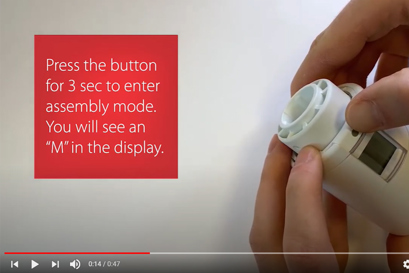
How do I activate pairing mode on my Ally™ Radiator Thermostat?
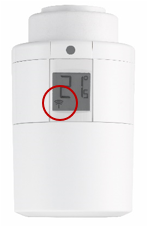
The antenna symbol must be flashing while the Danfoss Ally™ Gateway is searching for the device. If the antenna symbol is not flashing, then factory reset should be performed:
1. Remove one battery
2. Press and hold the button while re-inserting the battery
3. Hold the button for at least 5 sec or until the motor is moving
Short press the button should then make the antenna symbol flashing.
Please note that the Danfoss Ally™ Gateway might need up to 60 seconds to search for the device.
Why is the LED flashing red on my Danfoss Zigbee repeater?
Danfoss Zigbee repeater is designed to extend the wireless range from the Danfoss Ally™ Gateway to the Danfoss Ally™ Radiator Thermostats or Danfoss Icon™ Zigbee module. If the Danfoss Zigbee repeater is placed in a location where it is not active – meaning none of the devices are communicating through the repeater then the LED will start flashing to indicate it is not being used. Try moving the repeater to a different location.
How do I activate pairing mode on my Danfoss Zigbee Repeater?
Pairing mode is activated by short pressing the button. The GREEN LED must be rapidly flashing while the Danfoss Zigbee Repeater is searching for the Danfoss Ally™ Gateway. If the green LED is not rapidly flashing, then factory reset should be performed:
- Remove the Zigbee repeater from the power socket
- Press and hold the button while connecting the Zigbee repeater to power again
- Hold the button until constant red LED and release the button.
Short press the button should then make green LED rapidly flashing.
Please note that the Danfoss Ally™ Gateway might need up to 60 seconds to discover the device.
Software updates?
Danfoss Ally™ Gateway:
Software updates are automatically installed when a new improved software version is released.
Danfoss Ally™ Radiator Thermostat:
If there is a new Danfoss Ally™ Radiator Thermostat software available, you will receive a Pop-Up message when you enter the control menu for the device. You can start the update process immediately the Danfoss Ally™ Radiator Thermostat can take up to 90 mins to update. It is important for the update to be completed before proceeding to the next Danfoss Ally™ Radiator Thermostat. The update will continue after closing the app and if PUSH notification is enabled you will be notified when the update is complete.
What is the running version of the phone that the App requires?
The software version for iOS devices ≥ V10.0, for Android devices ≥ V5.0.
How to reset the Ally™ Radiator Thermostat?
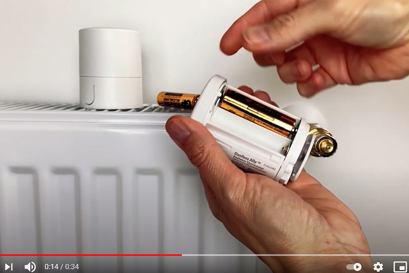
- Remove the cover of the Ally™ Radiator Thermostat
- Remove one of the two batteries
- Press and hold the black button next to the digital display/screen while replacing the battery
- Insert the battery and release the button after 10 seconds
- The Ally™ Radiator Thermostat is now reset
- Place the cover of the Ally™ Radiator Thermostat back
How to reset the Danfoss Ally™ Gateway?
- Connect the power supply and Ethernet cables to the proper inputs.
- Press reset button on the gateway housing near the power and Ethernet connectors.
- Two green LEDs should start blinking. Gateway is reset.
- Two green LEDs light constantly, the gateway connected correct.
Can other persons in my household overrule my set schedules?
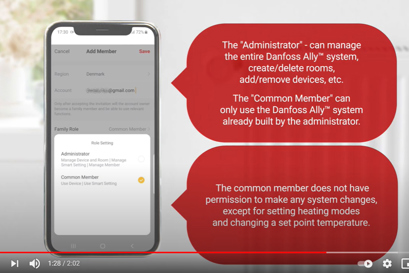
Any home member who is in the app list can set up a new or overrule the current schedule. The “Administrator” – can manage the entire Danfoss Ally™ system, create/delete rooms, add/remove devices, etc. The “Common Member” – can only use the Danfoss Ally™ system already built by the administrator.
Where can I find information about Open API?
With its open API, Danfoss Ally allows other systems to connect, read and use data enabling third-party products to give you an even smarter experience.
If you want to know more about the Open API, visit the Danfoss Developer Portal.
Please note that Danfoss does not support private API solutions.
Why the firmware version of my Danfoss Ally™ Gateway cannot be updated?
1. Make sure that you have installed an up-to-date version. Check the version number here - Danfoss Ally™ software versions overview
2. If the Ally™ Gateway has an outdated firmware version, - open outgoing port 1443 TCP in the firewall
Which iOS/Android versions does the Ally™ app support?
The Ally™ App is always tested on the latest released OS version, which we also recommend our customers to upgrade to. The app is expected to operate on the two previous major OS versions. In case a user experiences unexpected behavior, we advise to ensure that all involved devices are updated to their latest available version.
Danfoss Ally™ Gateway Power Supply Issue
If your Ally™ Gateway has no LED indication and is disconnected from the system in the Ally™ app, follow these troubleshooting steps:
Step 1: Check the Power Supply
- Ensure that the power supply is turned ON.
- If the power supply is connected to the power grid but the Ally™ Gateway LEDs remain OFF, the issue is likely with the USB power supply adapter.
Step 2: Try an Alternative USB Adapter
- As a quick fix, use any other USB power supply adapter with 5V, 1A output.
- If the LED still does not turn on, the Ally™ Gateway itself may be faulty.
Step 3: Replacement Process
- If the issue persists and there is no LED indication, either the USB power supply adapter or the Ally™ Gateway (or both) must be replaced.
- Contact the seller to replace the defective unit under factory warranty.
Important Notice
This issue does not present any risk of electrical shock or fire. The only consequence is that the device will not function properly.
EU Data Act – Data Access Requests
If you wish to request access to usage data in accordance with the EU Data Act (Regulation (EU) 2023/2854), you can contact Danfoss via our official contact page.
Under the EU Data Act, you may have the right to:
- Request access to data generated by the use of our products or services.
- Obtain such data in a structured, commonly used, and machine readable format.
- Share your data with third parties of your choice, where applicable.
Danfoss will process such requests in line with applicable legal requirements, ensuring data security and confidentiality.
Frequently asked questions on the Danfoss Ally™ Room Sensor
In which situations do I need to use the Danfoss Ally™ Room Sensor?
In case your radiators are covered by or hidden under curtains or furniture, the Danfoss Ally™ Room Sensor is the ideal solution to control the heating in the room and overall increase the indoor comfort.
How to install the Danfoss Ally™ Room Sensor?
Install the Danfoss Ally™ Room Sensor according to the guidelines on the packaging. Then the Danfoss Ally™ Room Sensor must be paired to the Danfoss Ally™ Gateway as a sub device. Go to the Danfoss Ally™ Gateway tile in the Danfoss Ally™ App and chose ‘Add sub device’. Follow the instructions provided in the Danfoss Ally™ App. Make sure the Danfoss Ally™ Room Sensor is added to the room in which it should be used as reference temperature to the Danfoss Ally™ Radiator Thermostats.
Can I add more than one Danfoss Ally™ Room Sensor in the same room?
Yes, you can add more Danfoss Ally™ Room Sensors within the same room in the Ally™ App. In most cases, only one room sensor is needed per room. However, if more units are added in the same room, an average value will be calculated and used as the reference temperature. Keep in mind that one Danfoss Ally™ Gateway can control a maximum of 32 battery-operated devices (Danfoss Ally™ Room Sensor & Danfoss Ally™ Radiator Thermostat).
Is it possible to use the Danfoss Ally™ Room Sensor as a stand-alone device?
Yes, the device can also work stand-alone. It will then measure room temperature as well as humidity, and historical data will be shown in a graph.
Which device is superior when more devices in the same room?
If the Danfoss Ally™ Room Sensor is added to the same room in which Danfoss Ally™ Radiator Thermostats are already installed, then the room sensor temperature value will be used to operate the radiator thermostat. In other words, the temperature measurement from the room sensor overrules the local temperature measurement in the radiator thermostat.
What if I have more than one Danfoss Ally™ Radiator Thermostat in a room?
Even if there are several Danfoss Ally™ Radiator Thermostats in the same room, these can still be controlled by one and the same Danfoss Ally™ Room Sensor. The Danfoss Ally™ Gateway will then distribute the measurement from the Danfoss Ally™ Room Sensor to all Danfoss Ally™ Radiator Thermostats in the room.
What type of battery is used in the Danfoss Ally™ Room Sensor?
The Danfoss Ally™ Room Sensor uses a CR2450 battery with a lifetime of up to 5 years. The battery can be replaced by removing the wall plate.
Is the Danfoss Ally™ Room Sensor compatible with the Danfoss Icon™ Floor heating master?
The Danfoss Ally™ Room Sensor can be used together with the Danfoss Ally™ Radiator Thermostats. In case you need a room sensor for the Icon™ Floor heating, then please refer to this: LINK
Frequently asked questions on the Danfoss Ally™ Boiler Relay
What is the Ally™ Boiler Relay and how does it work ?
Danfoss Ally™ Boiler Relay operates as on/off heat-demand relay by means of wire connection to the boiler voltage-free terminal. The Ally™ Boiler Relay provides on/off optimization logic that triggers the boiler when heat demand is detected and halts its operation when there is no longer heat needed. The Boiler Relay does not provide any indication of how much energy is needed from the heat source and does not regulate the heat source temperature. This logic remains on the boiler intelligence.
What is the communication distance between the Ally™ Boiler Relay and the Gateway ?
Expected wireless communication distance between the Boiler Relay and the Gateway is up to 30 m on free line of sight. Any heavy construction will influence and potentially limit the communication distance. This may not always be obvious and can also be walls with metallic reinforcement, any hidden metallic constructions, heavy glass partitions as well as other wireless network interference.
How do the LED's and UI buttons on the Ally Boiler Relay front behave?
The Ally™ Boiler Relay has 2 buttons and 2 LED lights, each corresponding to a button.
Left side (Green LED): This LED indicates power, errors, and connection status.
Right side (Red LED): This LED shows the relay status and pairing status.
UI-LEDs:
- Left side - Green LED - used to show Power, Errors and connection status.
- Right side - Red LED - used to show the Relay status and pairing status.
LEDs behaviour:
- Connected - Green LED ON
- Not connected/Error - Green LED Blink
- Pairing - Red LED should blink
- Boiler OFF - Red OFF
- Boiler ON - Red LED ON
UI-Buttons:
- Left side - used to Join and Reset
- Right side - used for Reset and Override
How many Danfoss Ally™ Boiler Relay can you connect to one Danfoss Ally™ Gateway ?
You can connect only one Danfoss Ally™ Boiler Relay to a Danfoss Ally™ Gateway.
How to reset the Danfoss Ally ™ Boiler Relay ?
- Step 1: Initiate the Reset Process
Simultaneously press and hold both buttons on the boiler relay unit for a duration of 25 seconds. (0-25 sec) - Step 2: Observe the LED Indicators
After approximately 5 seconds of holding both buttons, you will notice that both LEDs on the unit start blinking rapidly (5-20 sec). Continue to hold the buttons for a total of 20 seconds. During this time, both LEDs will remain steadily illuminated (20-25 sec). - Step 3: Release the Buttons
Between the 20th and 25th second of holding both buttons, release them. - Step 4: Verify Reset Activation
a. After releasing the buttons, the Danfoss Ally ™ Boiler Relay will enter factory reset mode.
b. Simultaneously, the unit will undergo a reboot process.
By following these steps, you can successfully reset the Ally ™ Boiler Relay to its factory default settings.
What are the installation requirements for the Danfoss Ally™ Boiler Relay?
If the Danfoss Ally™ Boiler Relay is connected to an 'old' installation where the Danfoss Ally™ Radiator Thermostats were added to the system before October 2022, then all Radiator Thermostats should be removed from the Ally™ application and connected again.
All Danfoss Ally™ Radiator Thermostats must be assigned to specific rooms.
The Danfoss Ally™ Boiler Relay must have at least one reference room active with Danfoss Ally™ Radiator Thermostat included there to start working.
The Danfoss Ally™ application must be updated to the latest software version.
The Danfoss Ally™ Gateway must have the latest firmware version.
What are the possible system combinations between the Danfoss Ally™ Boiler Relay and other Danfoss devices?
Possible Ally™ system combinations with the Danfoss Ally™ Boiler Relay:
Danfoss Ally™ Boiler Relay +Danfoss Icon2™ (except cooling mode)
Danfoss Ally™ Boiler Relay +Danfoss Ally™ Radiator Thermostats
System combinations that don't work properly :
Danfoss Ally™ Boiler Relay +Danfoss Icon™
Danfoss Ally™ Boiler Relay +Danfoss Icon™ + Danfoss Ally™ Radiator Thermostats
Product Security and Telecommunications Infrastructure (PSTI)
What is the minimum support period?
The minimum support period: Invoice date + 2 years.
How to report security concern or security vulnerability?
Report security concerns or security vulnerability if you have discovered an issue with one of our products or services.