
Downloads
Use the link(s) below to Download the latest AK-PC 782 A/B software.
How to Update software?
If the software in a controller requires an upgrade, use the following procedure:
1. Connect the Service Tool directly to the controller
2. Start the update function in the Service Tool - configuration
3. The update display is shown here:
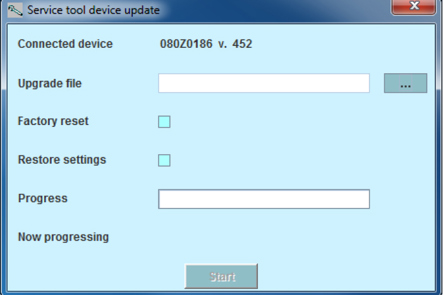
4. Find the file containing the new software
5. Tick the ”Restore settings” box (after the update, the previous settings will be reused).
6. Press ”Start”.