
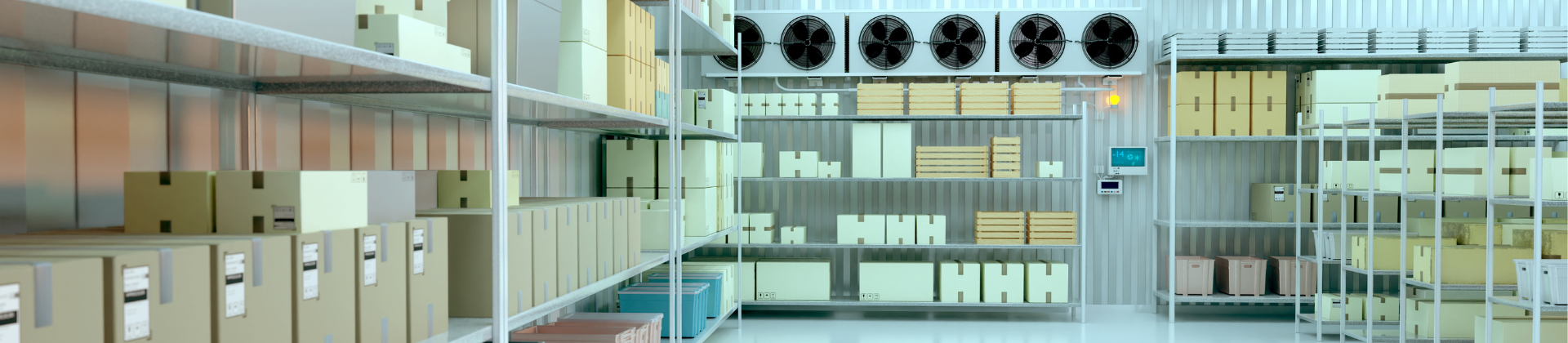
Troubleshoot common cold room faults
Cold room faults usually fall into five main categories: temperature failure, compressor overrun, evaporator icing, high-pressure trips, and expansion valve or refrigerant feed problems. A structured diagnostic process helps technicians identify whether the issue is caused by airflow, refrigerant charge, valve operation, controller settings, compressor performance, defrost, or system sizing.
Use the troubleshooting tables below as a first diagnostic guide before replacing components. Always follow local safety procedures, service instructions, and refrigerant handling requirements.
Cold room troubleshooting overview: five common fault families
| Fault family | Typical symptoms | First checks |
|---|---|---|
| Temperature failure | Room does not reach setpoint, slow pull-down, product temperature rising | Check door sealing, airflow, evaporator condition, controller setpoint, sensor location, refrigerant charge, and cooling capacity. |
| Compressor overrun | Compressor runs continuously or cycles too often | Check load, ambient temperature, condenser airflow, evaporator airflow, refrigerant charge, expansion valve operation, and whether the unit is correctly sized. |
| Evaporator icing | Ice build-up on evaporator, reduced airflow, unstable temperature | Check defrost settings, fan operation, door openings, drain heater, air infiltration, low evaporating temperature, and refrigerant feed. |
| High-pressure trips | System stops on high pressure, especially after service or compressor replacement | Check condenser airflow, dirty condenser, fan operation, refrigerant overcharge, non-condensables, blocked liquid line, and pressure control settings. |
| TXV / EEV faults | Low suction pressure, hunting, flooding, starving evaporator, unstable superheat | Check bulb position, superheat setting, valve sizing, refrigerant compatibility, sensor inputs, controller parameters, and restrictions. |
Preventive maintenance for commercial walk-in coolers and freezers
Preventive maintenance helps reduce temperature instability, compressor overrun, evaporator icing, high-pressure trips, and emergency service calls. A commercial walk-in cooler or freezer should be checked regularly for airflow, coil condition, door sealing, refrigerant charge symptoms, controller settings, defrost operation, alarms, and electrical protection. The exact interval depends on application, traffic, environment, and local service requirements.
Maintenance checklist
- Check evaporator and condenser airflow
- Inspect coil cleanliness, fan operation, and ice build-up
- Check door gaskets, hinges, closers, and air infiltration
- Review controller setpoint, differential, defrost schedule, and alarm history
- Check suction and discharge pressures where service access allows
- Verify superheat, subcooling, and signs of overcharge or undercharge
- Inspect filter drier, sight glass, solenoid valve, TXV/EEV operation, and sensors
- Confirm drain line, drain heater, heaters and defrost termination are working correctly
- Review service records for repeated faults or changing operating patterns
Compressor running but cold room not cooling: step-by-step diagnostic
When a cold room compressor runs continuously without reaching the required temperature, the system is operating but not removing enough heat. The cause may be airflow, refrigerant charge, expansion valve behavior, compressor performance, high ambient temperature, or incorrect sizing.
| Step | What to check | What it can indicate |
|---|---|---|
| 1. Check room conditions | Actual room temperature, setpoint, product load, door openings, warm product loading | The room load may be higher than the system was selected for. |
| 2. Check evaporator airflow | Fan operation, blocked coil, ice build-up, blocked air path, product stacked too close to evaporator | Poor airflow can prevent heat transfer even if the refrigeration circuit is running. |
| 3. Check condenser airflow | Dirty condenser, failed fan, blocked discharge air, high surrounding temperature | Poor heat rejection can reduce capacity and increase pressure. |
| 4. Check refrigerant feed | Sight glass, suction pressure, superheat, subcooling, evaporator feed pattern | Low charge, restriction, or expansion valve issues may be limiting evaporator performance. |
| 5. Check TXV or EEV behavior | Superheat stability, valve opening, bulb mounting, controller inputs, refrigerant setting | Incorrect valve operation can cause starvation, hunting, or flooding. |
| 6. Check compressor condition | Running current, suction/discharge pressures, noise, temperature, operating envelope | Compressor inefficiency or operating outside limits can reduce cooling capacity. |
| 7. Check controller settings | Setpoint, differential, defrost timing, fan control, sensor calibration, alarm history | Incorrect settings can cause unstable or insufficient cooling. |
| 8. Check system sizing | Room load, ambient temperature, refrigerant, evaporator, condensing unit selection | The system may be undersized for the actual application. |
Evaporator icing despite defrost running: root-cause analysis
If the evaporator keeps icing up even though defrost is active, the issue is usually not “defrost” alone. Ice build-up can be caused by air infiltration, high humidity, poor airflow, incorrect defrost settings, low evaporating temperature, drain problems, or refrigerant feed issues.
| Possible cause | What to look for | Corrective direction |
|---|---|---|
| Frequent door openings | Ice near air entry points, high moisture load, unstable room temperature | Check door discipline, strip curtains, door heaters, gaskets, and traffic pattern. |
| Damaged door gasket or poor sealing | Frost around door, warm air entering room | Repair gaskets, check door alignment, and reduce air infiltration. |
| Defrost too short or too infrequent | Coil does not fully clear during defrost | Review defrost duration, termination temperature, and schedule. |
| Fan operation issue | Uneven ice pattern or weak airflow after defrost | Check fan motors, fan delay, wiring, and airflow path. |
| Drain or drain heater problem | Ice in drain pan or water refreezing after defrost | Check drain line, heater, slope, and drain pan condition. |
| Low evaporating temperature | Frost returns quickly, low suction pressure | Check refrigerant charge, TXV/EEV operation, airflow, and load conditions. |
| Incorrect refrigerant feed | Starved or uneven evaporator feed | Check expansion valve, superheat, restrictions, and refrigerant charge. |
TXV fault diagnosis: symptoms, superheat and replacement checks
A thermostatic expansion valve controls refrigerant injection into the evaporator based on superheat. In a cold room, a TXV fault can look like low suction pressure, poor cooling, unstable superheat, evaporator starvation, flooding, or compressor protection trips.
| Symptom | Possible TXV-related cause | What to check |
|---|---|---|
| Low suction pressure | Valve too small, restriction, incorrect superheat, blocked strainer, wrong refrigerant charge | Check superheat, valve sizing, inlet pressure, filter drier, and refrigerant compatibility. |
| High superheat | Starved evaporator | Check bulb contact, bulb location, external equalization, valve setting, and restrictions. |
| Low superheat or flooding | Valve overfeeding or bulb problem | Check bulb mounting, adjustment, valve seat, refrigerant charge, and load conditions. |
| Hunting | Unstable valve control | Check valve size, bulb position, system load, evaporator airflow, and superheat setting. |
| Poor cooling after refrigerant change | Valve not matched to new refrigerant or operating range | Check refrigerant compatibility, bulb charge, valve capacity, and controller settings. |
| Compressor protection trips | Liquid floodback or excessive evaporating pressure during demanding periods | Check superheat, MOP function where relevant, compressor operating envelope, and refrigerant feed. |
When to adjust, clean or replace the TXV
| Action | When it may be enough |
|---|---|
| Adjust superheat | Superheat is outside target range but valve, bulb, and refrigerant match the application. |
| Check bulb and equalizer | The valve appears unstable or does not respond correctly to load changes. |
| Check for restriction | Low suction pressure or starvation may be caused by blockage before the valve. |
| Replace the valve or orifice | The valve is incorrectly sized, not compatible with the refrigerant, damaged, or cannot maintain stable superheat. |
| Review system selection | Repeated valve symptoms may indicate incorrect evaporator, condensing unit, refrigerant, or load assumptions. |
EEV fault diagnosis: controller and sensor checks
Electronic expansion valves control refrigerant flow through a controller using pressure and temperature inputs. If the system uses an EEV, diagnosis should include the valve, controller, pressure sensor, temperature sensor, wiring, refrigerant parameters, and control logic.
High-pressure fault after compressor replacement: structured checklist
A high-pressure trip after compressor replacement should be diagnosed before assuming the new compressor is the problem. High pressure can be caused by condenser airflow problems, refrigerant overcharge, non-condensables, blocked liquid line, incorrect pressure controls, incorrect compressor application, or changed operating conditions.
| Check | What to verify |
|---|---|
| Condenser cleanliness | Dirt, blocked fins, restricted airflow, recirculated hot air |
| Condenser fan operation | Fan rotation, speed, wiring, control signal, fan cycling |
| Refrigerant charge | Overcharge, incorrect refrigerant, charging method, receiver level |
| Non-condensables | Air or contaminants in the system after service |
| Liquid line restriction | Filter drier, sight glass, solenoid valve, shut-off valve, kinked pipe |
| Pressure control settings | High-pressure switch, fan speed controller, safety limits |
| Compressor match | Correct compressor model, refrigerant, capacity, oil, and operating envelope |
| Ambient condition | Rooftop heat, poor machine-room ventilation, blocked discharge air |
| System commissioning | Evacuation quality, leak test, charge verification, control setup |
Post-commissioning temperature swings: controller settings to check
If a newly commissioned cold room cannot hold stable temperature, the cause may be control settings rather than a major hardware fault. Check controller setup, sensor location, defrost logic, fan operation, expansion valve behavior, and system capacity.
| Controller or setup area | What to check |
|---|---|
| Setpoint and differential | Confirm target temperature and control band are suitable for the product and application. |
| Sensor location | Check that the room sensor is not affected by door openings, evaporator discharge air, product blocking, or heat sources. |
| Defrost schedule | Confirm defrost frequency, duration, termination, and fan delay. |
| Fan control | Check whether fans run continuously, stop during defrost, or follow controller logic. |
| Compressor control | Check cut-in/cut-out settings, anti-short-cycle delay, and pump-down logic where used. |
| Expansion valve behavior | Verify stable superheat and refrigerant feed under load. |
| Door and load pattern | Frequent openings or warm product loading may require different control or sizing assumptions. |
| Alarm settings | Confirm alarms are meaningful and not too narrow for normal pull-down or defrost recovery. |
Refrigerant charge: how to diagnose overcharge or undercharge
Correct refrigerant charge is critical for stable cold room operation. Too little refrigerant can starve the evaporator and reduce capacity. Too much refrigerant can raise pressure, reduce efficiency, and increase compressor risk. Refrigerant charge should be checked together with superheat, subcooling, sight glass behavior, pressure readings, temperature readings, and system design.
| Charge issue | Possible symptoms | Diagnostic checks |
|---|---|---|
| Undercharge | Poor cooling, low suction pressure, high superheat, bubbles in sight glass, long run time | Check for leaks, measure superheat and subcooling, inspect sight glass, and verify charge quantity. |
| Overcharge | High head pressure, high compressor load, poor efficiency, high-pressure trips | Check subcooling, condenser performance, receiver level, and pressure readings. |
| Restriction mistaken for undercharge | Low suction pressure, starved evaporator, bubbles in sight glass | Check filter drier, solenoid valve, liquid line, TXV inlet, and pressure drop. |
| Wrong refrigerant or blend issue | Unstable pressures or poor performance | Confirm refrigerant type, charging procedure, and service records. |
| Incorrect charge after retrofit | Changed system performance after refrigerant change | Recheck refrigerant selection, component compatibility, valve settings, and operating envelope. |
FAQ
Cold room troubleshooting
How do I tell if the TXV in my cold room is faulty — what symptoms should I look for, and when should I replace it vs just adjust it?
To diagnose a faulty TXV in a cold room refrigeration system, you need to understand the operation of the TXV, pressures and temperatures of the system. Most faults will be diagnosed with poor superheat control and or refrigeration system performance.
I just commissioned a new cold room and the temperature keeps swinging. What settings should I check on the controller and expansion valve?
If the temperature in a newly commissioned cold room is unstable check the following:
- Thermostat setting / sensing location
- Check operation of refrigeration system
- Check that the door is closed to the cold room
I replaced the TXV in a cold room but now suction pressure is too low. Is it the wrong valve size, a charge issue, or something else?
If the suction pressure is too low after replacing an expansion valve it points towards a restriction in flow of refrigerant through the expansion valve or part of the system. Check installation of the valve and sensing bulb to ensure the valve is getting the correct signals.