Danfoss Link™
Danfoss Link™ has served millions of homes well over the last almost ten years. With the Link™ smart heating solution, Danfoss successfully entered the universe of smart home heating.
For all future installations, Danfoss Ally™ is the smart heating solution we recommend. With Ally™, we move to the best-in-market IoT standard protocol Zigbee, and open up for other players in smart heating to integrate, thus creating even better solutions within the smart home category.
We continue to support the Link solution, but new development will for the above reasons take place on the Ally™ platform.
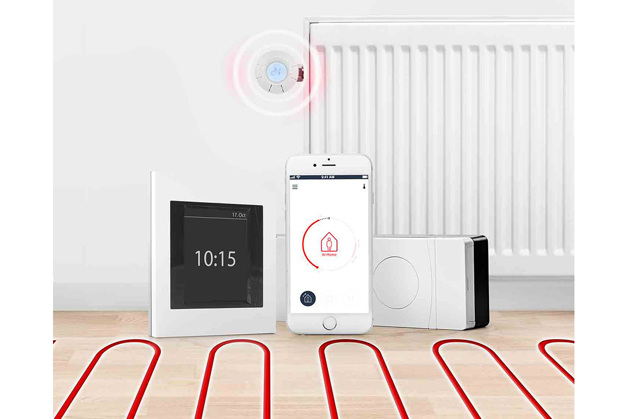
The Danfoss Link™ product family includes
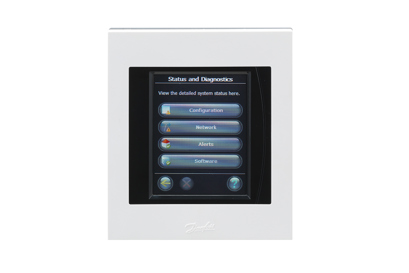
Danfoss Link™ Central Controller is the centrally placed main unit for controlling of indoor climate throughout the house. It can be used in detached single-family homes of less than 300m2 with a maximum of 30 connect thermostats per one controller.
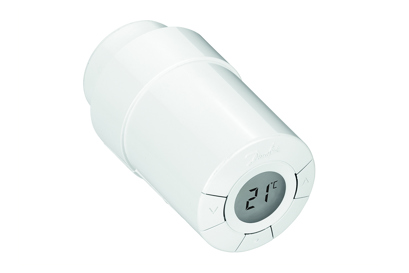
The Danfoss Link™ Connect Thermostat is a smart electronic radiator thermostat. Used together with the Danfoss Link™ CC Central Controller it ensures pleasant warmth with the highest levels of energy efficiency.
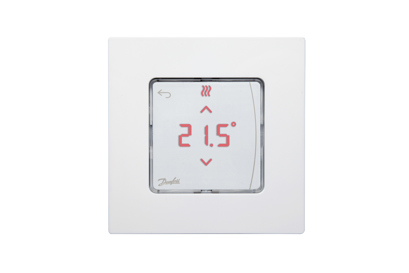
Danfoss Icon™ Room Thermostat is an electronic sensor for measuring room temperature in a particular room.
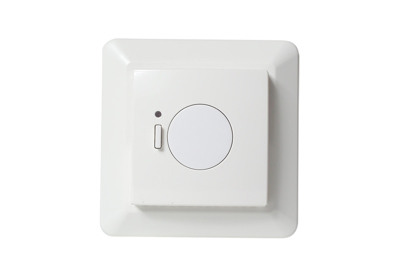
Danfoss Link™ Floor Thermostat for electrical floor heating switches the heating on and off. Optionally equipped with a sensor to easily and accurately measure floor temperature
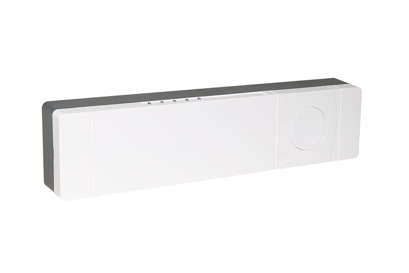
The Danfoss Link™ hydronic controller controls hydronic floor heating systems. The system offers a wide range of extended functionalities for optimal comfort and energy saving with individual room temperature control.
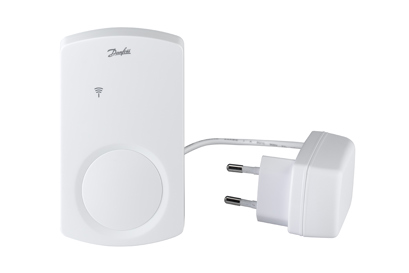
Various accessories for the Danfoss Link™ system: repeater unit, adapters, boiler relay and others
Software

Danfoss Link™ with wifi has been available since August 2015.
If your Danfoss Link™ CC Central Controller is connected to the WiFi, the software will update automatically.
The latest software version is version 4.2.1724 (07.01.2020)
You can check if your Danfoss Link CC is Wi-Fi compatibile in two ways:
1. Check the label (sticker) on the back of your Danfoss Link CC.
The version number must be 4.
2. If your CC is on and fully configured, you can follow the steps below to check if the CC is Wi-Fi compatible:
a. Click on the main screen
b. Select ‘House control’
c. Find and select ‘Settings’
d. Search for ‘Wi-Fi and Apps’
If this point is visible you Danfoss Link CC is Wi-Fi Compatible

Danfoss Link™ with USB was sold from 2013 to August 2015.
First, download the current version of the software to a USB clicking the relevant link.
Then go to your Central Controller and do the following:
1. Insert USB
2. Press the screen view Start mode
3. Select “House control”
4. Select “Settings”
5. Select “Wi-Fi and apps”
6. Select “App options”
7. Select “Software update”
8. Select “Update via USB”
9. Select “Update software now”

Danfoss Link™ with SD card was sold from 2011 to 2013.
First, download the latest software version onto a mini SD card using the following link.
Then go to your Central Controller and do the following:
Insert mini SD card
Remove the front cover and hold the SETUP key down for three seconds to call up the installation menu
Select "Software"
Select "Software upgrade"
Select "Start software upgrade"
Select "Update software now"
Note: Central controllers from before 2010 sometimes use software version 1.x.x. In that case, you need to update your Central Controller to version 2.1.35 before updating to the latest software.
Dokumenty
| Typ | Meno | Jazyk | Platné pre | Aktualizované | K stiahnutiu | Typ súboru |
|---|---|---|---|---|---|---|
| Brochure | Danfoss Link & connect thermostat - product sheet | Finnish | Finland | 20 sep, 2015 | 344.2 KB | |
| Brochure | Danfoss Link & connect thermostat - product sheet | French | France | 11 jan, 2016 | 436.1 KB | |
| Brochure | Danfoss Link & connect thermostat - product sheet | Swedish | Sweden | 31 aug, 2015 | 400.8 KB | |
| Brochure | Danfoss Link & Living Connect - product sheet | Slovak | Slovakia | 08 dec, 2014 | 380.2 KB | |
| Brochure | Danfoss Link & Living Connect - product sheet | Spanish, Castilian | Spain | 08 dec, 2014 | 420.4 KB | |
| Data sheet | Danfoss Link RS (Room Sensor) | Danish | Denmark | 30 sep, 2015 | 283.8 KB | |
| Data sheet | Danfoss Link RS (Room Sensor) | Polish | Poland | 30 sep, 2015 | 280.8 KB | |
| Data sheet | Danfoss Link RS (Room Sensor) | Swedish | Sweden | 30 sep, 2015 | 279.3 KB | |
| Data sheet | Danfoss Link RS (Room Sensor) | French | Switzerland | 08 aug, 2016 | 210.1 KB | |
| Data sheet | Danfoss Link RS (Room Sensor) | Finnish | Finland | 30 sep, 2015 | 279.3 KB | |
| Data sheet | Danfoss Link RS (Room Sensor) | French | France | 30 sep, 2015 | 297.6 KB | |
| Data sheet | Danfoss Link RS (Room Sensor) | Dutch, Flemish | Netherlands | 30 sep, 2015 | 287.2 KB | |
| Data sheet | Danfoss Link RS (Room Sensor) | Hungarian | Hungary | 30 sep, 2015 | 287.4 KB | |
| Brochure | Danfoss Link™ - brochure for professionals | Italian | Italy | 13 dec, 2015 | 1.2 MB | |
| Brochure | Danfoss Link™ - brochure for professionals | Finnish | Finland | 10 sep, 2015 | 1.0 MB | |
| Brochure | Danfoss Link™ - brochure for professionals | French | France | 11 jan, 2016 | 1.2 MB | |
| Brochure | Danfoss Link™ - brochure for professionals | Lithuanian | Lithuania | 17 jan, 2016 | 8.4 MB | |
| Brochure | Danfoss Link™ - brochure for professionals | Swedish | Sweden | 14 dec, 2015 | 3.1 MB | |
| Brochure | Danfoss Link™ - brochure for professionals | Czech | Czech Republic | 21 jan, 2016 | 1.1 MB | |
| Data sheet | Danfoss Link™ BR Boiler Relay | English | Multiple | 12 nov, 2013 | 164.9 KB | |
| Data sheet | Danfoss Link™ CC Central Controller | Romanian, Moldavian, Moldovan | Romania | 24 jan, 2017 | 364.1 KB | |
| Data sheet | Danfoss Link™ CC Central Controller | Hungarian | Hungary | 07 dec, 2021 | 364.7 KB | |
| Data sheet | Danfoss Link™ Central Controller | English | Multiple | 19 mar, 2024 | 275.8 KB | |
| Data sheet | Danfoss Link™ Central Controller | Danish | Denmark | 02 mar, 2015 | 361.6 KB | |
| Data sheet | Danfoss Link™ Central Controller | Estonian | Estonia | 26 mar, 2014 | 1.0 MB | |
| Data sheet | Danfoss Link™ Central Controller | Czech | Czech Republic | 23 feb, 2016 | 364.8 KB | |
| Data sheet | Danfoss Link™ Central Controller | Spanish, Castilian | Spain | 02 mar, 2014 | 1.0 MB | |
| Data sheet | Danfoss Link™ Central Controller | French | France | 23 feb, 2016 | 364.3 KB | |
| Data sheet | Danfoss Link™ Central Controller | Chinese | China | 30 jún, 2014 | 929.1 KB | |
| Data sheet | Danfoss Link™ Central Controller | Polish | Poland | 22 jún, 2015 | 364.8 KB | |
| Data sheet | Danfoss Link™ Central Controller | Swedish | Sweden | 26 aug, 2015 | 362.5 KB | |
| Data sheet | Danfoss Link™ Central Controller | Italian | Italy | 23 feb, 2016 | 362.6 KB | |
| Data sheet | Danfoss Link™ Central Controller | Latvian | Latvia | 26 mar, 2014 | 1.0 MB | |
| Data sheet | Danfoss Link™ Central Controller | Dutch, Flemish | Netherlands | 05 feb, 2014 | 1.0 MB | |
| Data sheet | Danfoss Link™ Central Controller | Finnish | Finland | 26 aug, 2015 | 362.9 KB | |
| Data sheet | Danfoss Link™ Central Controller | Lithuanian | Lithuania | 07 dec, 2021 | 365.1 KB | |
| Brochure | Danfoss Link™ varmestyring. Brochure til installatører. | Danish | Denmark | 03 dec, 2020 | 1.0 MB | |
| Brochure | living by Danfoss - brochure for professionals | Slovak | Slovakia | 08 dec, 2014 | 1.1 MB | |
| Brochure | living by Danfoss - brochure for professionals | Estonian | Estonia | 04 dec, 2014 | 1.2 MB | |
| Brochure | living by Danfoss - brochure for professionals | Spanish, Castilian | Spain | 08 dec, 2014 | 1.2 MB | |
| Brochure | Living by Danfoss, Installer brochure | German | Multiple | 14 nov, 2016 | 4.5 MB |
FAQ
How do I install or replace thermostats or adapters?
Demount old thermostat
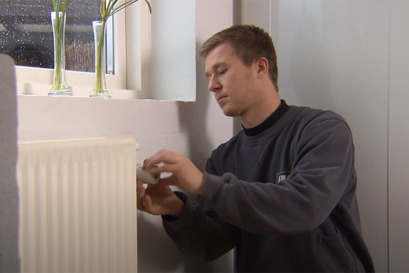
If you have an old thermostat on your radiator, you need to dismount your old thermostats, before you can install Connect Thermostat.
Watch video
Mount new thermostat and adapter
First, you need to identify which adapter is right for your radiator. Danfoss provides different adapters for different radiator valve types. Use the adapter selection guide by placing the different dimensions onto the valve to identify which adapter fits your valve.
The adapters supplied cover more than 90 per cent of all top mounted valves, both Danfoss and other brands. If none of the adapters fit onto your valve, it may be because your valve is old. In this case, we recommend that you buy a new valve.
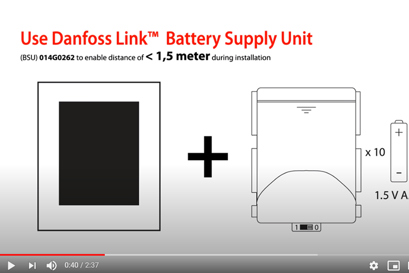
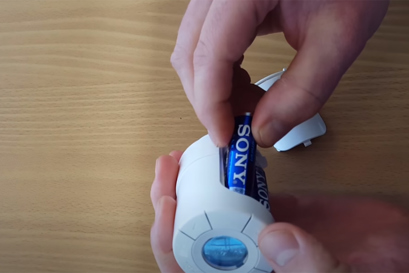
Second, fit the correct adapter onto the valve. Insert batteries into your new Connect Thermostat and screw the thermostat onto the adapter and tighten. Leave mounting mode.
Now you are ready to create room and add devices on your Danfoss Link™ Central Controller.
What happens if there is a power outage or my device runs out of battery?
Power outage on Danfoss Link™ Central Controller
If there is a power outage, the Danfoss Link™ Central Controller will turn on, once it gets power again and will connect to your installed devices.
If the Central Controller does not get power again:
• Connect Thermostat will continue on the temperature they were at when the power outage happened
• the Room Sensor will go into frost protection mode
Connect Thermostat or Room Sensor runs out of battery
When Connect Thermostat or Room Sensor is low on a battery, a battery icon will be shown in the display and the Central Controller will give you an error message. If a Connect Thermostat or Room Sensors runs out of battery, they will go into frost protection mode.
Connect Thermostats and Room Sensors use 2 x AA non-rechargeable batteries each.
Why is there no connection between my Central Controller and one or more of my devices?
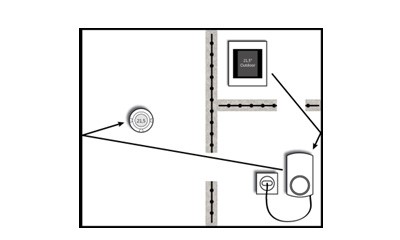
The freer passage the radio signal from the Central Controller has, the farther it can reach. House walls, metal objects, special constructions and other obstacles weaken the signal. Your Central Controller will give an alarm if it cannot reach a device for more than 1.5 hours.
If there are obstacles between your devices, you may need to install a Repeater Unit to extend the signal. If necessary, you can extend the extended signal by adding another Repeater Unit as illustrated below. You only need one Central Controller for your home.
When do I need a Danfoss Icon™ Room Thermostat?
It can measure and control the temperature at a specific spot in your home.
If you place the Icon™ Room Thermostat close to your couch or away from a window, you ensure your desired temperature at this spot, because you optimize the actual temperature measurement in the room.
We recommend adding a Icon™ Room Thermostat in rooms with multiple radiators, because the Room Sensor balances the temperature across radiators based on the room temperature.
If your radiator thermostat is covered, e.g. by furniture, the Icon™ Room Thermostat will ensure your desired temperature in the room.
Add the Icon™ Room Thermostat to your Danfoss Link™ Central Controller in the same room as the Connect Thermostat you want the Icon™ Room Thermostat to be connected to.
How do I get the optimum energy savings with a Danfoss Link™ system?
Energy savings are achieved through a reduction in room temperature.As a general rule, you can save 5% of energy consumption for every degree you lower the temperature at night. We recommend, you lower the temperature 3-4 °C at night and during working hours, e.g. from 21°C to 17°C. Also, activate vacation mode when you are on holiday.
When using Connect Thermostat, the average European saving potential is up to 30% on your heat consumption.
The older your thermostats are when exchanging them, the greater your energy savings will be.
Connect Thermostat was the first electronic thermostat ever to achieve the prestigious AA energy certificate from eu.bac.
Where can I get help with the app or Wi-Fi connection for Danfoss Link™?
Please go to our Danfoss Link™ App Helpdesk and get the assistance you need.
Why does the radiator thermostat not reach the temperature I have set?
To ensure that the radiator thermostat can reach the set temperature quickly, we recommend a difference between Away/Asleep mode and At Home mode at max. 4 ˚C.
Danfoss Link™ offers a precise and energy efficient heating regulation by adapting itself to the heating system. This takes approximately one week after installation. Therefore, during the first week you can experience fluctuations as the thermostats are learning when to start heating to reach the specific temperature at the specific time (adaptive learning).
After this period, you can enjoy the perfect temperature in your home whenever you want it.
Can Connect Thermostat and the Danfoss Link Central Controller be used in all types of buildings and homes?
The Danfoss Link™ Central Controller works in all residential units up to 300 m² with a maximum of 50 units per Central Controller (1 Central Controller + 49 units).
How many devices can I connect to a Danfoss Link™ Central Controller?
You can connect up to 50 devices in total to Danfoss Link™ Central Controller and thereof max. 30 Connect Thermostat to Danfoss Link™. Danfoss Link™ controls up to 10 devices in one room.
Can I control my Danfoss Link™ via app?
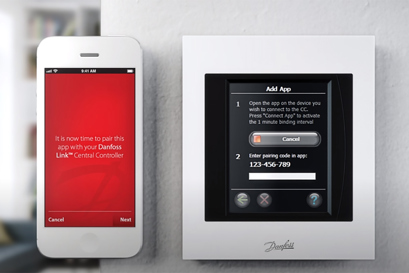
Yes, if you have the Wi-Fi version of Danfoss Link™ Central Controller. You can download the app from either App Store or Google Play.
Can I buy eco first and then buy Danfoss Link™ Central Controller later?
No.
Eco is a stand-alone product. You need to use Connect Thermostat for Danfoss Link™.
Is Danfoss Link™ secure when connected to Wi-Fi?
Danfoss ensures that all the devices in your home and the cloud service we provide to your smartphone are secure at all times. The Danfoss Link™ App is developed on a Home Banking platform and so the pairing of the Danfoss Link™ App to the Danfoss Link™ Central Controller is fully secure.
Videos