
Danfoss Ally™ - Een slimme cloudgebaseerde verwarmingsoplossing
Met Danfoss Ally™ krijgt u vanaf elke locatie volledige controle over uw radiator en hydraulische vloerverwarming. Naadloos verbonden met Amazon Alexa en Google Assistant.
Danfoss Ally™ biedt u alle voordelen van een volledig slim verwarmingssysteem - in een eenvoudige, gebruiksvriendelijke app.
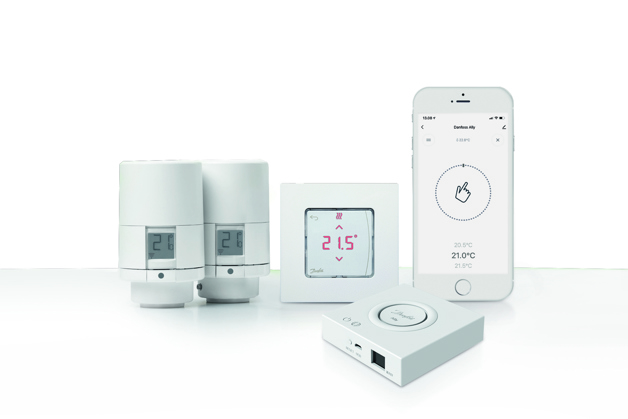
Het productaanbod van Danfoss Ally™ omvat
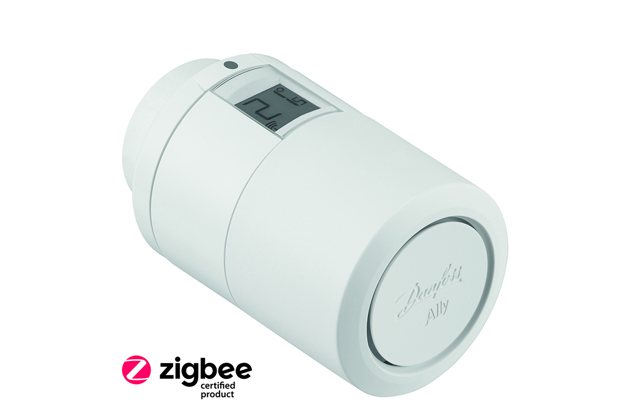
Danfoss Ally™ Radiator Thermostat is a Zigbee 3.0 certified product, compatible with Danfoss Ally Gateway™ and with third party systems using Zigbee protocol.
De Danfoss Ally™-radiatorthermostaat is een geconnecteerde radiatorthermostaat voor thuisgebruik.
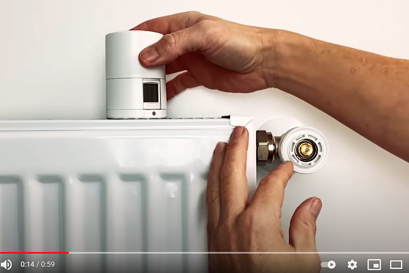
De Danfoss Ally™-radiatorthermostaat werkt op batterijen, is compact en eenvoudig te bedienen met een handknop en een enkele knop.
De Danfoss Ally™-radiatorthermostaat is een Zigbee 3.0-gecertificeerd product, compatibel met Danfoss Ally Gateway™ en met systemen van derden die het Zigbee-protocol gebruiken.
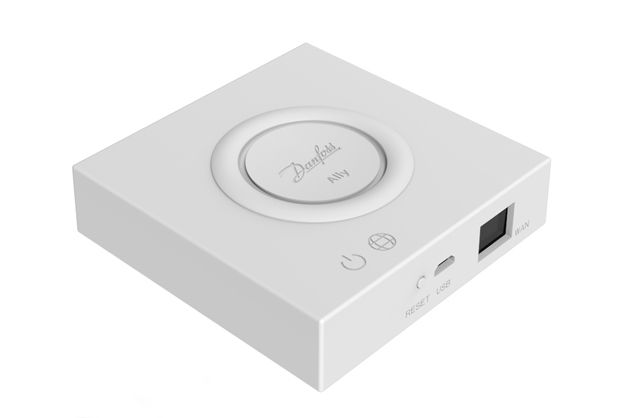
Danfoss Ally™ Gateway is een programmeerbaar, draadloos regelsysteem dat alle Danfoss Ally™-apparaten met internet verbindt en uw verwarming intelligent regelt via de Danfoss Ally™-app.
De voeding en LAN-kabel voor internetverbinding zijn inbegrepen.
Danfoss Ally™ Gateway regelt het dagelijkse verwarmingsschema voor elke ruimte, waardoor snelle en gemakkelijke aanpassingen kunnen worden gemaakt.
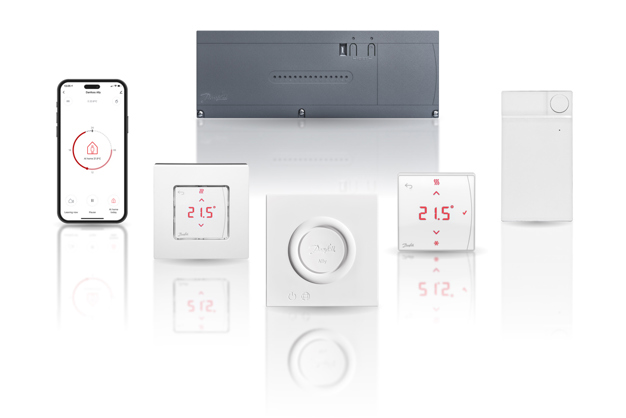
Geavanceerde kamerthermostaten voor hydraulische vloerverwarming.
Wanneer u een Icon™-systeem combineert met de Ally™ slimme verwarmingsoplossing, krijgt u de Ally™-functies er bovenop. Ally™ biedt samen met Icon™ volledige Danfoss Icon™-functionaliteit, inclusief. app-besturing en automatisch balanceren.
Door de uitbreidingsmodule aan het Danfoss Icon™-systeem toe te voegen, krijgt u extra functionaliteit en toepassingen, bijv. vraaggestuurde toevoertemperatuurregeling of verschillende vloerkoelingstoepassingen.
Ondersteund voor zowel bedrade als draadloze thermostaten.
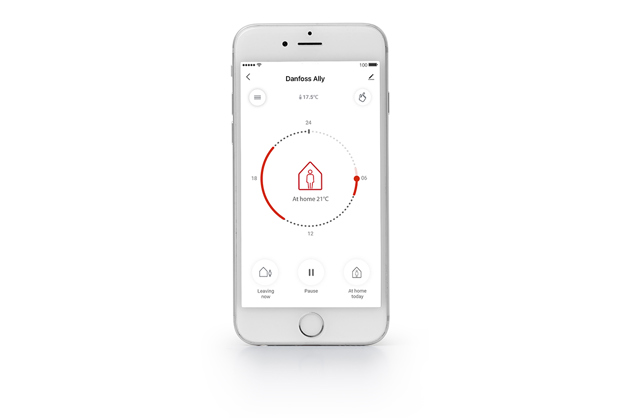
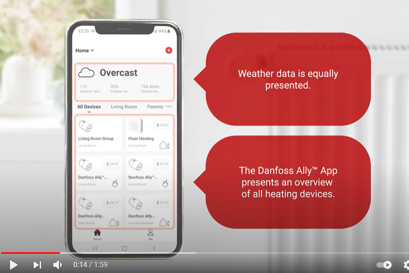
From the Danfoss Ally™ App you can control, schedule, and monitor your home heating from anywhere and at any time. The app guides you through the quick setup and gives you the complete overview and control.
Danfoss Ally™ App is compatible with iOS and Android.
Download the app for free from Google Play or App Store.
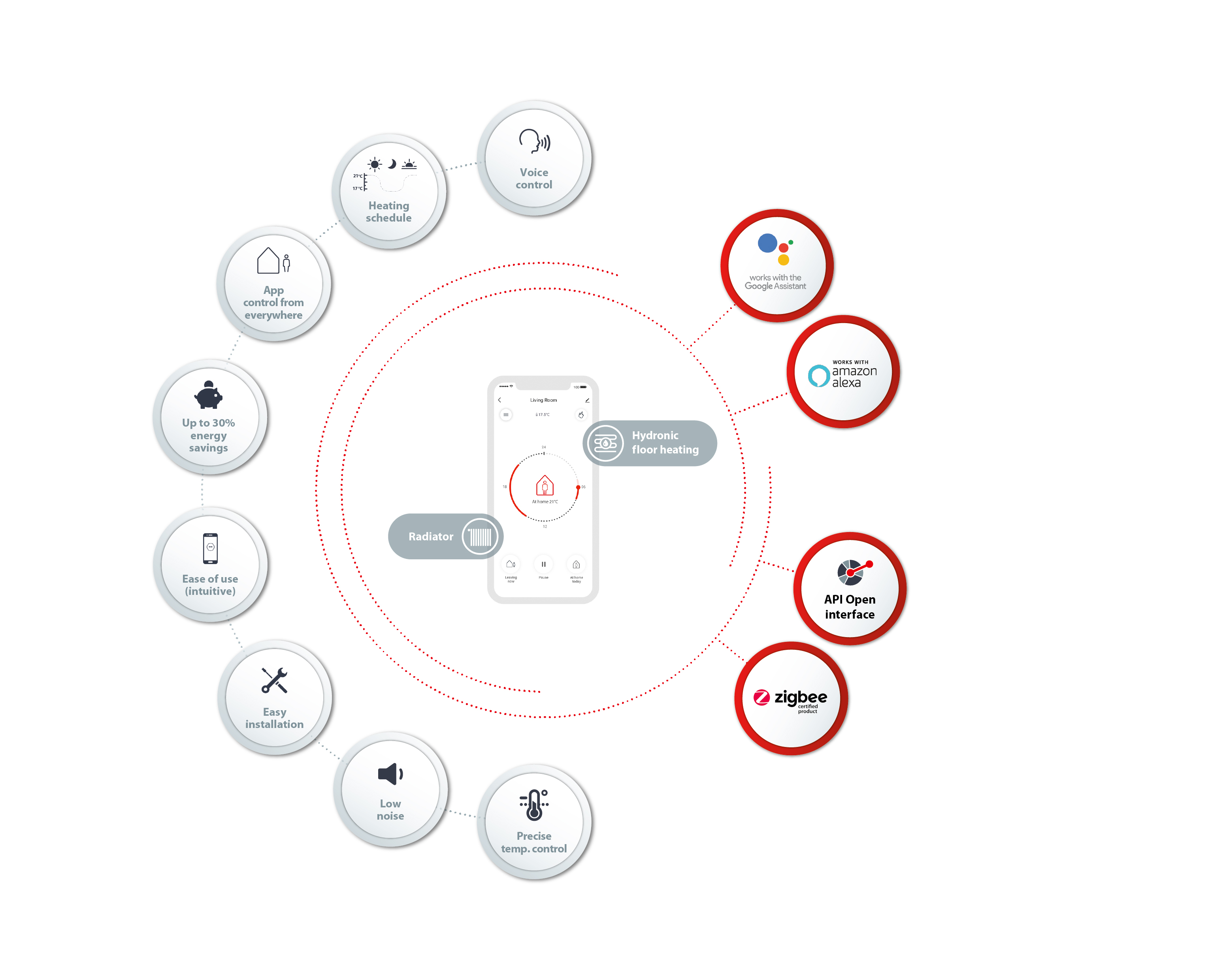

Het Zigbee-protocol is de vaandeldrager van het open IoT.
Danfoss Ally™ is Zigbee 3.0-gecertificeerd. Dit betekent dat het dezelfde draadloze taal spreekt als tal van andere slimme apparaten voor thuisgebruik over de hele wereld. Hierdoor kunt u Danfoss Ally™ verbinden met uw bestaande smarthome-installatie. En om uw slimme woning nog slimmer te maken.
Zigbee creëert flexibiliteit voor ontwikkelaars en eindgebruikers en biedt tegelijkertijd uitstekende interoperabiliteit. Gemaakt op IEEE's 802.15.4 met behulp van de 2,4 GHz-band en een zelfherstellend echt mesh-netwerk; Zigbee heeft veel toepassingen en wordt wereldwijd breed geïmplementeerd.
Een API is een programma-interface die wordt weergegeven door een cloudserver. Een API helpt om samen te werken met externe en interne partners (inclusief zowel B2B- als B2C-scenario's) door veilige toegang te bieden tot zijn waardestromen.
De Danfoss Ally™ Cloud API maakt samenwerking en innovatie mogelijk door coöptatie met andere serviceproviders mogelijk te maken. De API zorgt ook voor naleving van beveiliging op brancheniveau.
Door de API te gebruiken, kunnen organisaties en eindklanten snelle innovatie benutten door gebruik te maken van de Danfoss Ally™-producten om hun eigen betekenisvolle producten te bouwen.
Videos
FAQ
You can find answers many of other topics directly in the Danfoss Ally™ App
How do I manage PUSH notifications?
Manage your notifications and choose priority under “Me” -> “Settings” -> “App Notification”.
How do I make changes to an already programmed schedule?
Danfoss Ally™ Radiator Thermostat can be manually controlled by turning the wheel on the thermostat itself. An override is valid till the next scheduled event.
How can I set an individual schedule?
Open the app, choose the room tile you need, press upper left-side Menu button, press “Schedule” and you can add up to 3 comfort periods per day.
The installer still has access to my system. How can I remove him?
Navigate to “Me” menu -> “Home Management” -> Choose home name and press on home member from the list you want to delete -> “Remove Member”
Can I share my Ally™ smart heating solution with other persons in my household?
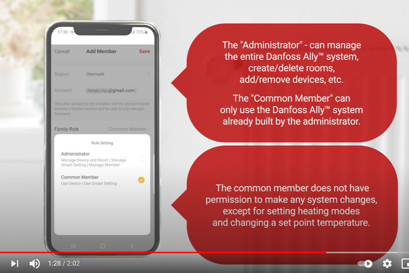
Navigate to “Me” menu -> “Home Management” -> Choose home name -> “Add Member”. After adding a new home member to the app list, the member can manage the smart heating system.
Can other persons in my household overrule my set schedules?
Any home member who is in the app list can set up a new or overrule the current schedule.
How can I change the language in my app?
If the smartphone UI language is set as: Danish, German, Czech, Italian, Polish or French, then the app automatically sets the same language. Otherwise, English language is set as default.
What happens if there is no internet/no connection to the gateway?
The Danfoss Ally™ smart heating solution continues to operate with current settings, if the internet connection suddenly disappears. The possibility to control the system via the Danfoss Ally™ App however is unavailable, until the internet connection is restored. The radiator thermostats will regulate according to the temperature setpoint written on the display no matter whether there is connection to the gateway or not. Please note: The internet connection is a must for commissioning process and full system control.
What does Pre-Heat mean?
The Pre-Heat function (Forecast) ensures that the comfort temperature is reached at a certain given time. The warmup time is continuously adjusted according to the seasonal temperature changes.
1. Adaptive learning ensures the wanted temperature at the wanted time;
2. Adaptive learning uses data from the previous 7 days to be able to reach the correct temperature at the right time.
3. Adaptive learning is sensitive to large, rapid temperature changes.
Why isn’t it possible to pair the gateway?
The Danfoss Ally™ Gateway and the smartphone with the Danfoss Ally™ App must be on the same WiFi network to establish connection between the gateway and app.
Why are some devices offline?
The gateway should be placed at central location in home or a repeater is needed.
What if there are more radiators in the same room? What does the group tile mean?
If one room contains more than one radiator, these are automatically bundled in a one group. This means that there is no need to change the temperature settings for each radiator. It is enough to make a change for the group tile and this will then apply to all radiators in that same room. Note however that if a temperature change has been made for only one specific radiator, this will not apply for the other radiators in the same room
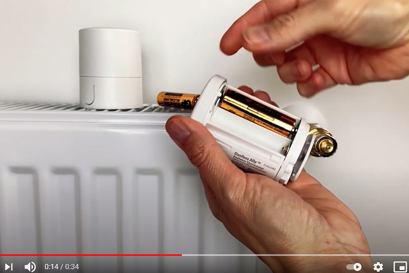
What happens when my Ally™ Radiator Thermostat is low on battery?
The batteries last up to 2 years. One month before the total battery discharge, a low battery symbol is shown on the thermostat display and PUSH notifications inform about the necessity of replacing the batteries.
Can I connect my Ally™ Gateway to the internet using WiFi ?
The Danfoss Ally™ Gateway can be only connected to the internet by means of an Ethernet cable and does not support Wi-Fi connection.
Can I also control my floor heating?
The Danfoss Ally™ Gateway can be connected to a Danfoss Icon™ Master Controller by means of Danfoss Icon™ Zigbee Module which allows to control a water-based floor heating.
Where can I find the User Guide and Quick Guides?
How many systems and devices can be controlled from the Ally™ App?
| Danfoss Ally™ Gateway | 128 units |
| Danfoss Ally™ Radiator Thermostat | 32 units |
| Danfoss Ally™ Zigbee Repeater | 128 units |
| Danfoss Icon™ Zigbee Module | 20 units |
| Danfoss Icon™ Master Controller (floor Heating) | 20 units |
| Rooms in the app | 128 units |
| Devices per rooms | 255 units |
Is the Danfoss Ally™ Gateway compatible with Apple Home Kit, Google Home, IFTTT, Samsung SmartThings?
Currently Danfoss Ally™ supports Amazon Alexa and Google Assistant voice control, but does not support such systems as Apple HomeKit, Google Home, IFTTT or Samsung SmartThings.
How to connect the Danfoss Ally™ Gateway with my Amazon Alexa and Google Assistant?
Voice command patterns.
Binding with Amazon Alexa:
Install Amazon Alexa App from the Google Play or App Store;
Open Amazon Alexa App and register new account. If you already have your account, login;
Navigate Menu -> Skills & Games -> type “Danfoss Ally™” -> chose Danfoss Ally™ App -> Enable to use -> fill in registration forms -> Authorize the app and discover new devices to connect. Once new devices have been added to the Amazon Alexa App, navigate “Devices” and find new added devices to start using voice commands listed below to control the system.
Binding with Google Assistant:
Install Google Home App from the Google Play;
Open the app and login;
Tap the “+” button menu icon and choose “Set up device”;
Choose “New devices”, type Danfoss Ally™ and choose the app.
Authorize the app and discover new devices to connect. Once new devices have been added, bundle them with the proper rooms and start using voice commands listed below to control the system.
Voice command patterns:
- Alexa/Okay Google, what is the temperature in (room name)?
- Alexa/Okay Google, turn up/down the heat in (room name).
- Alexa/Okay Google, set the temperature in (room name) to 24°.
What happens when I open a window to ventilate the room? How does the “open window” feature work?
When the Danfoss Ally™ Radiator Thermostat senses that a window has been opened, it will automatically shut off the heat for 30 minutes, after which the heating in the room will automatically be restarted. The heat will only be turned off in rooms in which the thermostat sends an “open window” notification. If you have more than one radiator in the same room, only one of the thermostats has to register an open window, after which all the radiators in the same room will shut off.
Please note:
- The radiator must be located in the immediate vicinity of the window (which it most often will). If the radiator is located e.g. 10 meters from the window, it may be difficult for the thermostat to sense a clear drop in temperature, which is needed for it to turn off the heat.
- Between the finish of the “open window” period and the start of a new one there must be at least 45 minutes.
- The first activation of the “open window” feature is 75 minutes after the battery insert.
- If you live in a home without a ventilation system, we recommend that you ventilate the entire house twice daily for a minimum of 5 minutes by opening windows in opposite ends of the house.
Documentatie
| Type | Naam | Taal | Geldig voor | Bijgewerkt | Downloaden | Bestandstype |
|---|